Configuring oAuth Settings
-
To access the navigation pane, in the top-left corner of the screen, hover the
mouse pointer over the
 icon.
icon.
-
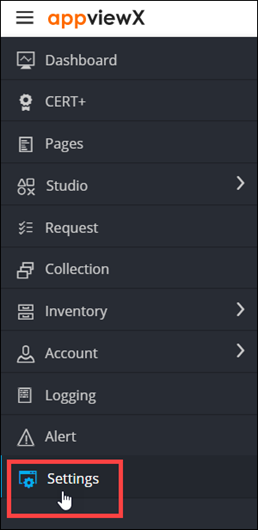
From the menu displayed, click Settings.
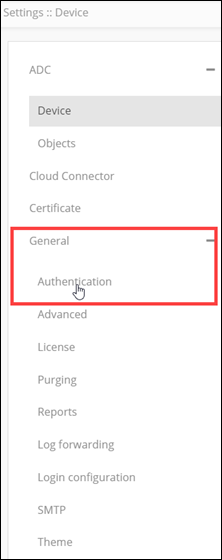
- On the Settings page, from the navigation pane on the left, click General.
-
Under General settings, click
Authentication.
The Settings :: Authentication page is displayed, with the LDAP tab open by default.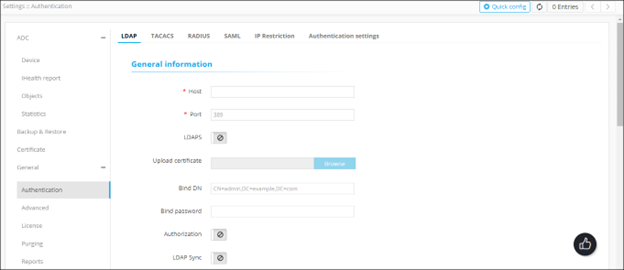
-
To define the validity of Access Token and Client Secret from AppViewx, on the
Settings :: Authentication page, click
oAuth Settings.
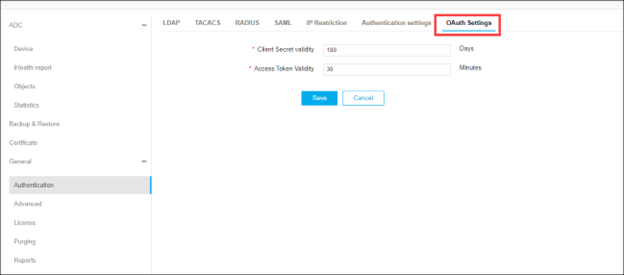
Note: By default, Client Secret expires in 180 days and the Access token expires in 30 Minutes. It is customizable.Note: Whenever an Access Token expires, an HTTP Error Code 401 is displayed in the API response. The client application can generate a new Access Token using the Client ID and Client Secret.Note: When the Client Secret expires, you can regenerate a new Client Secret from AppViewX in Account > Service Account > Account Name > Client Secret > Regenerate.