Creating a Role
-
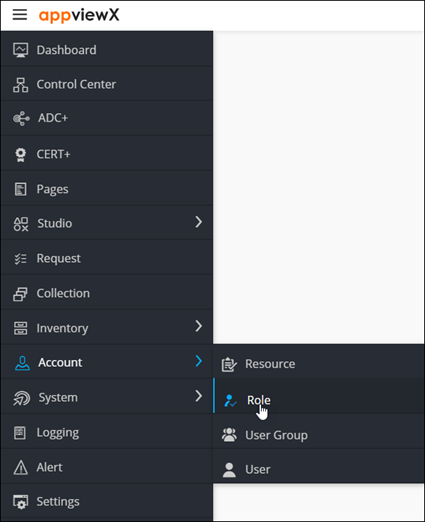
To access the navigation pane, in the top-left corner of the screen, hover the
mouse pointer over the
 icon.
icon.
-
From the menu displayed, select Account >
Role.
The Role page is displayed.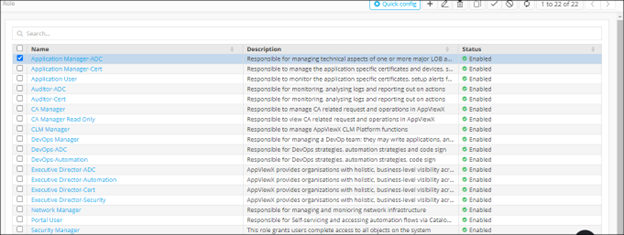
-
From the top right corner of the screen, click
 .
The Add page is displayed.
.
The Add page is displayed.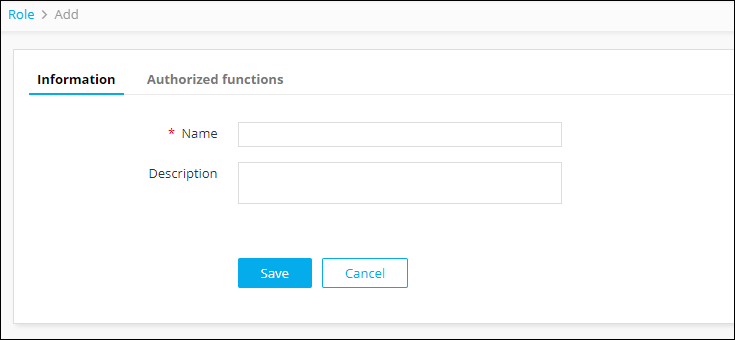
-
Under the Information tab, enter the following
details:
Field Description *Name Name of the role. Description Role/features/functionalities associated with the role. All * marked fields are mandatory. - Click Save.
- In the Authorized functions section, select the checkbox beside the functionalities that you want to associate with the role.
-
To assign functions at a granular level, click the
 icon for
the functions' check box and then select individual sub-options within the
functions.
icon for
the functions' check box and then select individual sub-options within the
functions.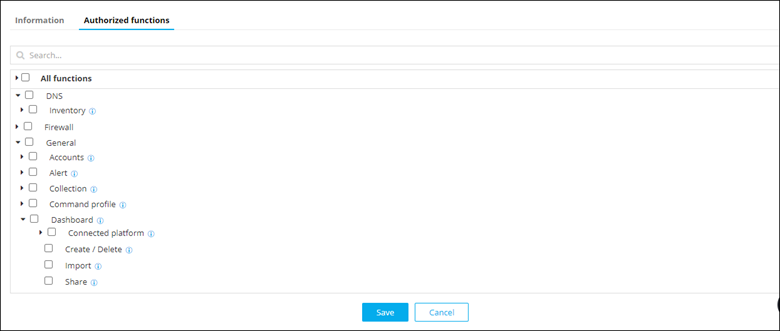
-
Click Save.
Details of the new role are displayed in the list on the Role page.