Published
This section shows all the Published pages in a card view.
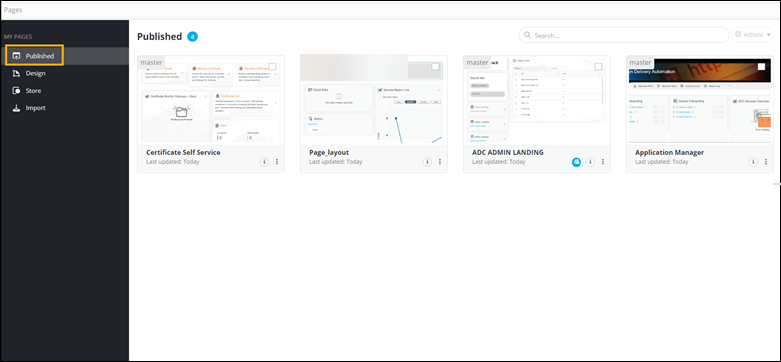
The following table describes the various options present in this section:
| Options | Description |
|---|---|
 |
A highlighted icon represents a shared page. Hovering over the icon displays the name of the person who created the page. |
 |
Shows ‘Last Updated’ info and description of the page. |
 |
Allows users to perform the following actions on the selected page:
|
| Actions | Allows users to export the selected page(s). Note: This option is enabled only when you select a
page. |
| Search bar | Allows users to search for a specific page within the Published pages Inventory by using keyword(s). |
Important: Published pages cannot be deleted.