How to Add a Drilldown Chart
-
Under the CHART DRILLDOWN section, enter or
select the field information.
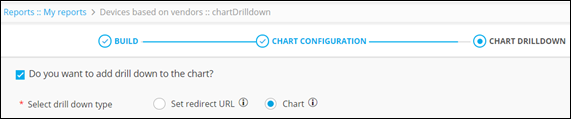
The following table describes the field information required in this section:Field Description Do you want to add a drill down to the chart? Check this box to add a drilldown to the chart. *Select drill down type Select Chart as the drilldown type. The asterisk (*) symbol indicates mandatory fields. -
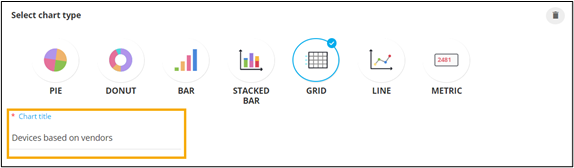
Select the GRID chart.

-
Enter a suitable Chart title.
-
To configure the column headers to be displayed within the grid, click
 .
Selected columns are displayed on the right side.
.
Selected columns are displayed on the right side.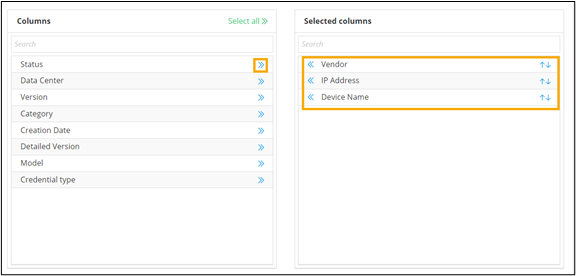 Note: To remove a column, click
 .
. -
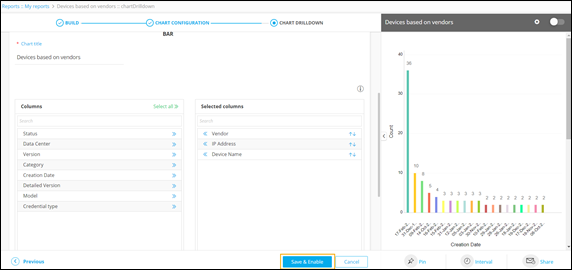
To enable the chart, click Save & Enable.
-
To get more information on the devices in the drilldown, click on any of the
bars on the bar chart.
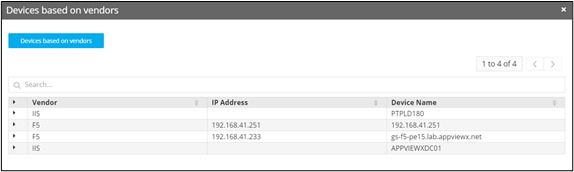
Note: You can add up to five levels of drilldown charts to a report.