How to Schedule reports
-
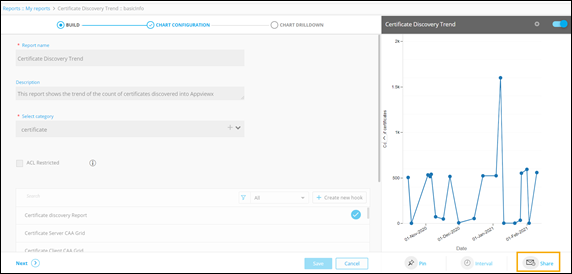
Under the BUILD section, from the bottom
right corner of the screen, click Share.
A popup window to Schedule reports is displayed.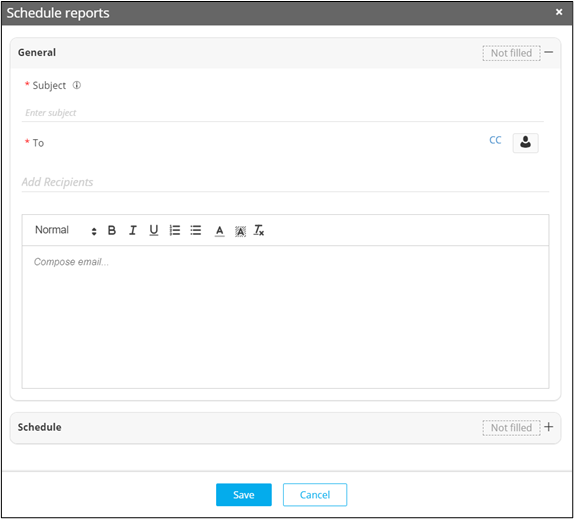
-
In the Schedule reports window, under the
Schedule section, enter/select the field
information.
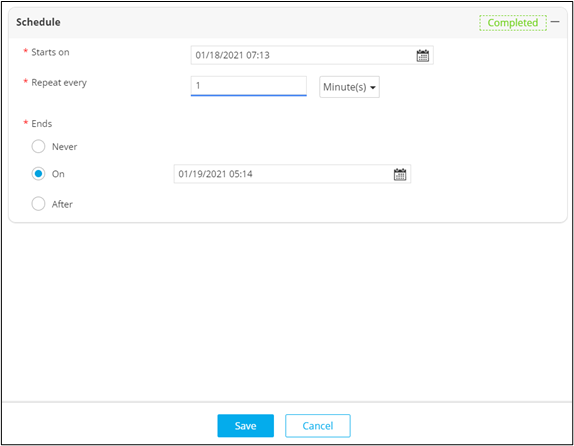
The following table describes the fields in the Schedule section:Field Description *Starts on Select the date on which report is to be scheduled. *Repeat every Select the numeric value and the frequency of recurrence as minutes, hours, days, weeks, months, or years. *Ends Select when the report should stop recurring. The options available are: - Never
- On a specific date.
- After a set number of occurrences.
The asterisk (*) symbol indicates mandatory fields. -
Click Save.
The scheduled report will be displayed on the Reports :: Schedule page.
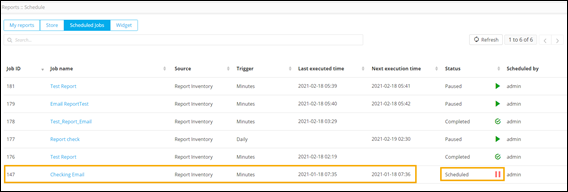
-
To disable/pause the scheduled job, click
 .
The scheduled job is paused.
.
The scheduled job is paused.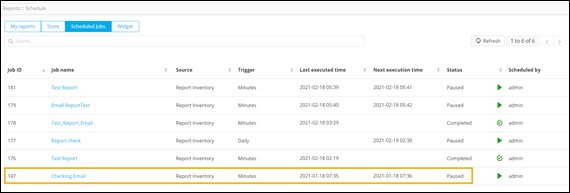
-
To resume the scheduled job, click
 .
.