Updating Certificate Attributes for Server Certificate
Other than the fields that are defined for CSR, the user can add organization-specific values to a request. These values will not be part of the certificate but will be available in the AppViewX inventory. For example, cost center. Inventory can be filtered based on these attributes.
To update the certificate attribute for a server certificate,
- Log in to AppViewX application with valid credentials.
- Click the menu button located in the upper left corner of the screen.
The left navigation pane appears.
- Click CERT+.
The CERT+ left navigation pane appears.
- Expand CERTIFICATE INVENTORY.
-
Click Server.
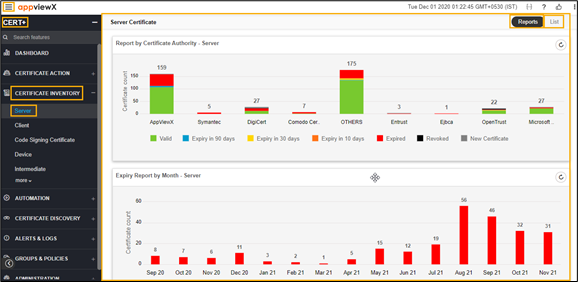
The Server Certificate page appears.
-
Click the List toggle button on the right top corner of the server
certificate page.
Click the List toggle button on the right top corner of the client certificate page.
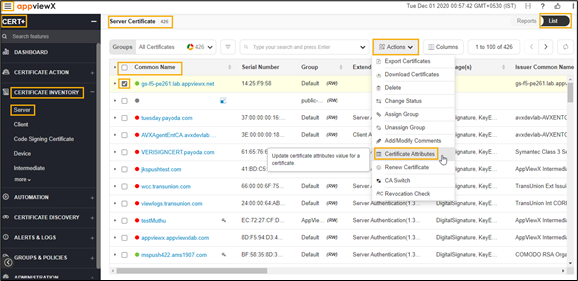
- In the Common Name column certificate list, select the desired certificate that you want to add attributes.
- Click Actions, and then select Certificate Attributes from the drop-down list.