Delete Execution List
In order to delete networks from being excluded, follow the below steps,
- Log in to the AppViewX application with valid credentials.
-
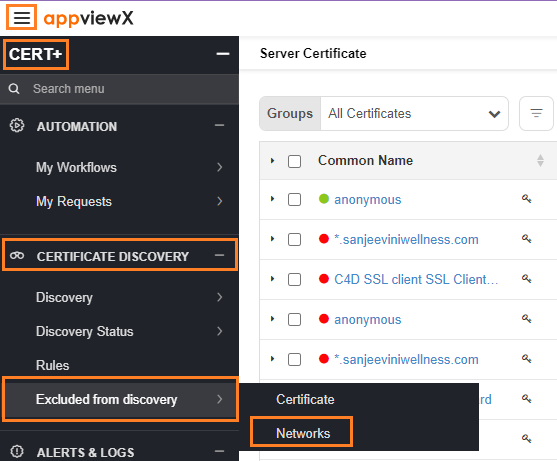
Click the menu button located in the upper left corner of the
screen.
The left navigation pane appears.
-
Click CERT+.
The CERT+ left navigation pane appears.
- Expand CERTIFICATE DISCOVERY.
-
Click Excluded from discovery > Networks.
-
On the Network execution page, choose the network that needs to be
deleted by clicking on the
 button.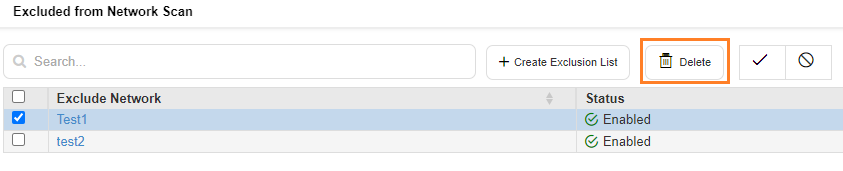
- On the confirmation pop-up that appears, click Yes.
-
The network is now deleted and it can be discovered from a network scan.
