Disable Execution List
When exclusion lists are created, they are in the Enabled State by default. This means that while doing Network Scan, these are automatically selected in the Excluded Lists from the discovery and the user cannot deselect them while doing discovery. If the user wants to have an option of selecting/deselecting the exclusion list on the Network Scan page, they need to disable the list on the Exclusion List inventory.
- Log in to the AppViewX application with valid credentials.
-
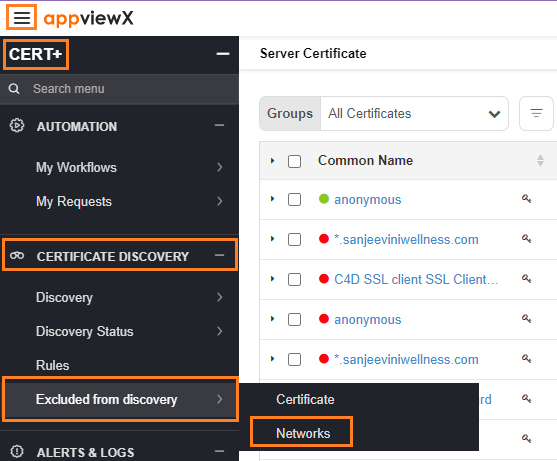
Click the menu button located in the upper left corner of the
screen.
The left navigation pane appears.
-
Click CERT+.
The CERT+ left navigation pane appears.
- Expand CERTIFICATE DISCOVERY.
-
Click Excluded from discovery > Networks.
-
On the Network execution page, choose the network that needs to be
disabled from the execution list and click on the
 button.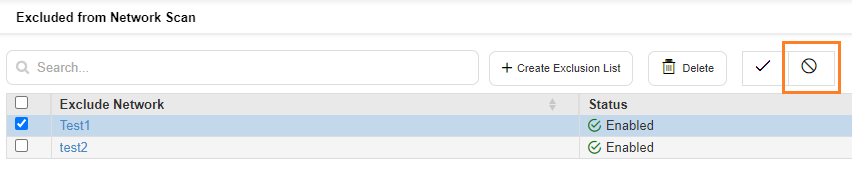
- On the confirmation pop-up that appears, click Yes.
-
The network is now disabled and it can be discovered from a network scan.
