Delete Certificate
To delete a certificate or policy:
- Click the Menu (
 ) icon.
 - Click CERT+.
The CERT+ left navigation pane appears.
- Click the type of certificate you want to delete from Certificate Inventory list.
- From the certificates inventory, select the check box beside the certificate or
policy you want to delete.
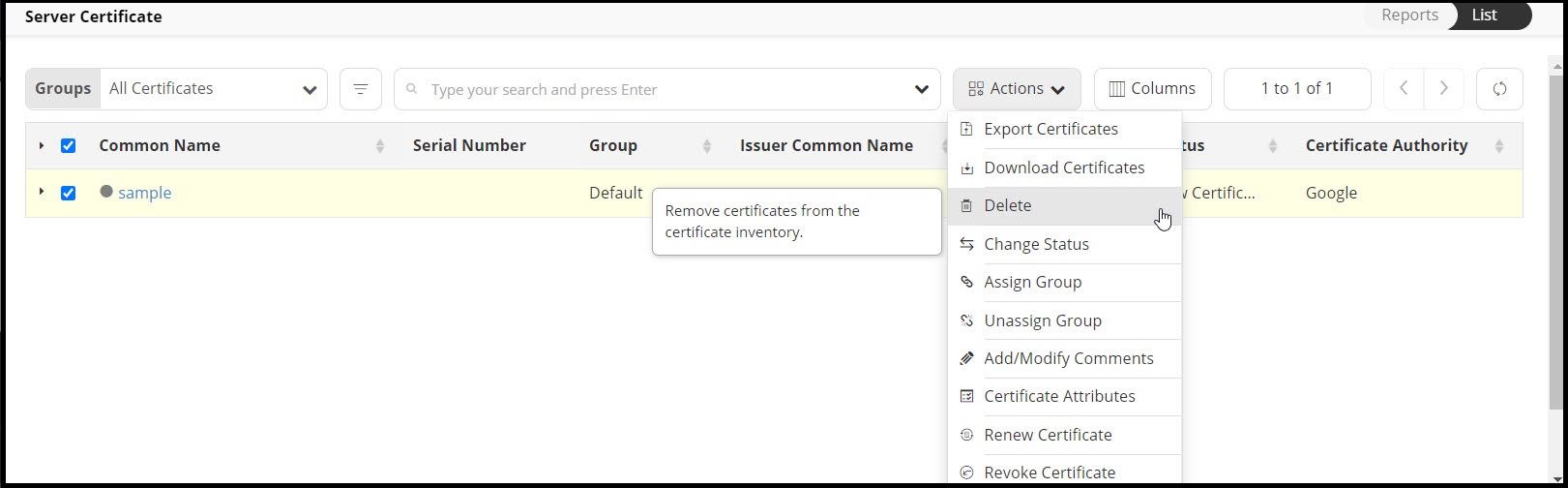
- Click Actions, and select Delete from the dropdown list.
Note: This functionality is available only for server certificates and policy.
- Click Yes to confirm.
The certificate or policy is then removed from the list and deleted from the AppViewX system.