Download CSR
To download a certificate signing request (CSR) for a certificate:
From holistic view:
- Click the Menu (
 ) icon.
 - Click CERT+.
The CERT+ left navigation pane appears.
- From Certificate Inventory, click Server or Code Signing Certificate.
- On the certificate list view, click the Common Name of the certificate to view the topology.
- Hover over
 icon on
the certificate and click Download CSR.
icon on
the certificate and click Download CSR.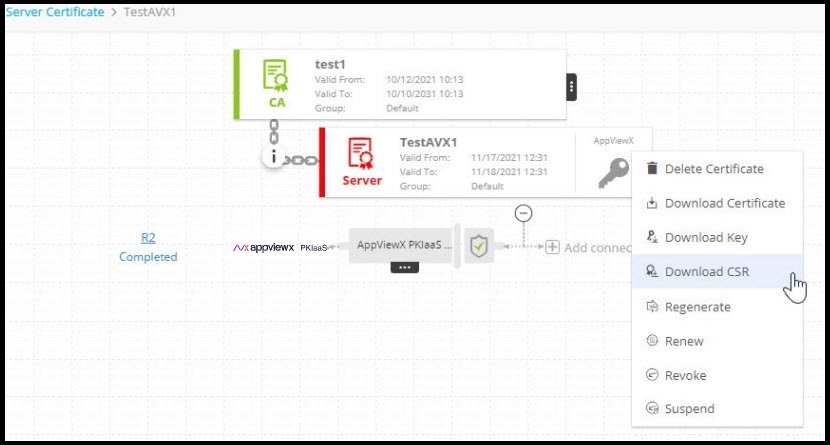
Note: Alternatively, you can go to Certificate Inventory and select the check box against the certificate name you want to download CSR and click Actions > Download CSR from the command bar.