Upload Certificate
To upload a certificate:
- Click the Menu (
 ) icon.
 - Click CERT+.
The CERT+ left navigation pane appears.
- Click Upload from Certificate Inventory.
The Upload Certificate screen is displayed.
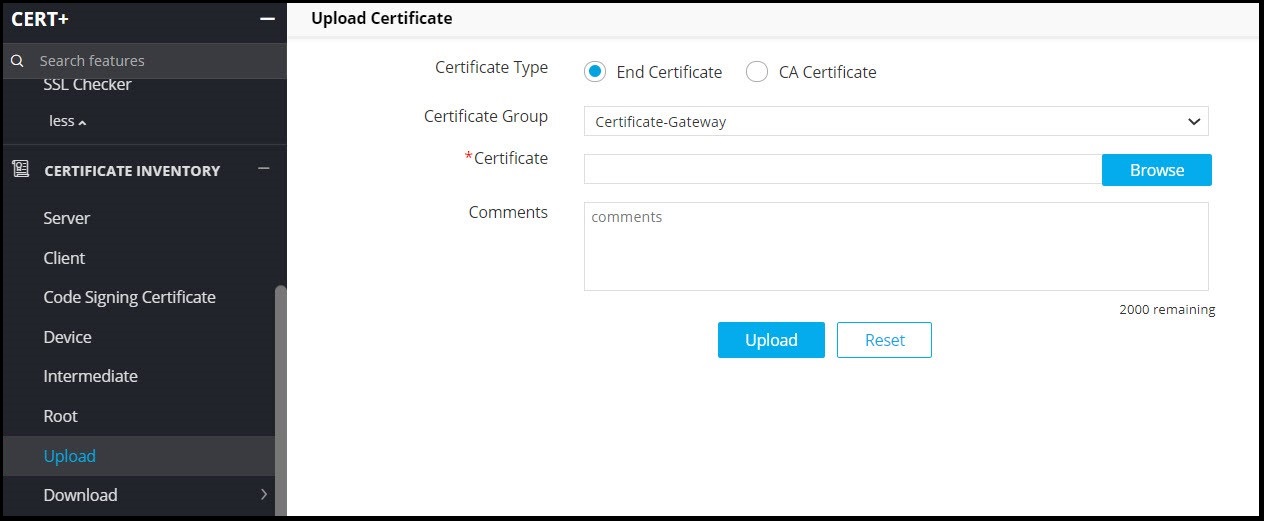
- Select the Certificate Group into which the uploaded file must be mapped in CLM.
- Choose the certificate file and click Open.
- Click Upload.
Once uploaded, go to the selected certificate group in inventory to see the uploaded certificate-keys.