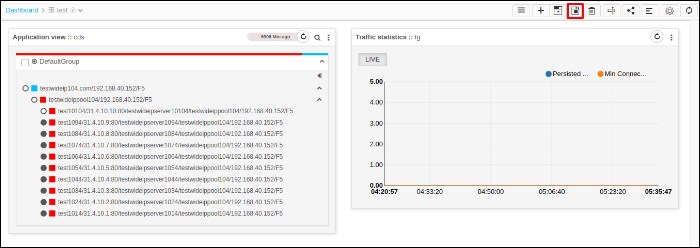
Save a Widget
- Log in to the AppViewX application with valid credentials.
- Click the menu button.
- Select Menu > ADC+ > TRAFFIC MANAGEMENT > Dashboards.
- Go to any user defined dashboard.
- Users can change the order of the widgets by drag and drop.
-
Click Save Widgets.