Accessing the Workflow Page
| New Menu | Old Menu |
|---|---|
The Workflow page is displayed. |
From the main navigation menu, select Studio >
Workflow. The Workflow page is displayed. |
|
Note: For more information on how to switch
between menus, click here.
|
|
The Workflow page gives a consolidated view of the important aspects of the Visual Workflow platform, and inventory of all the custom-built workflows, and the actions that can be performed from the Workflow studio console.
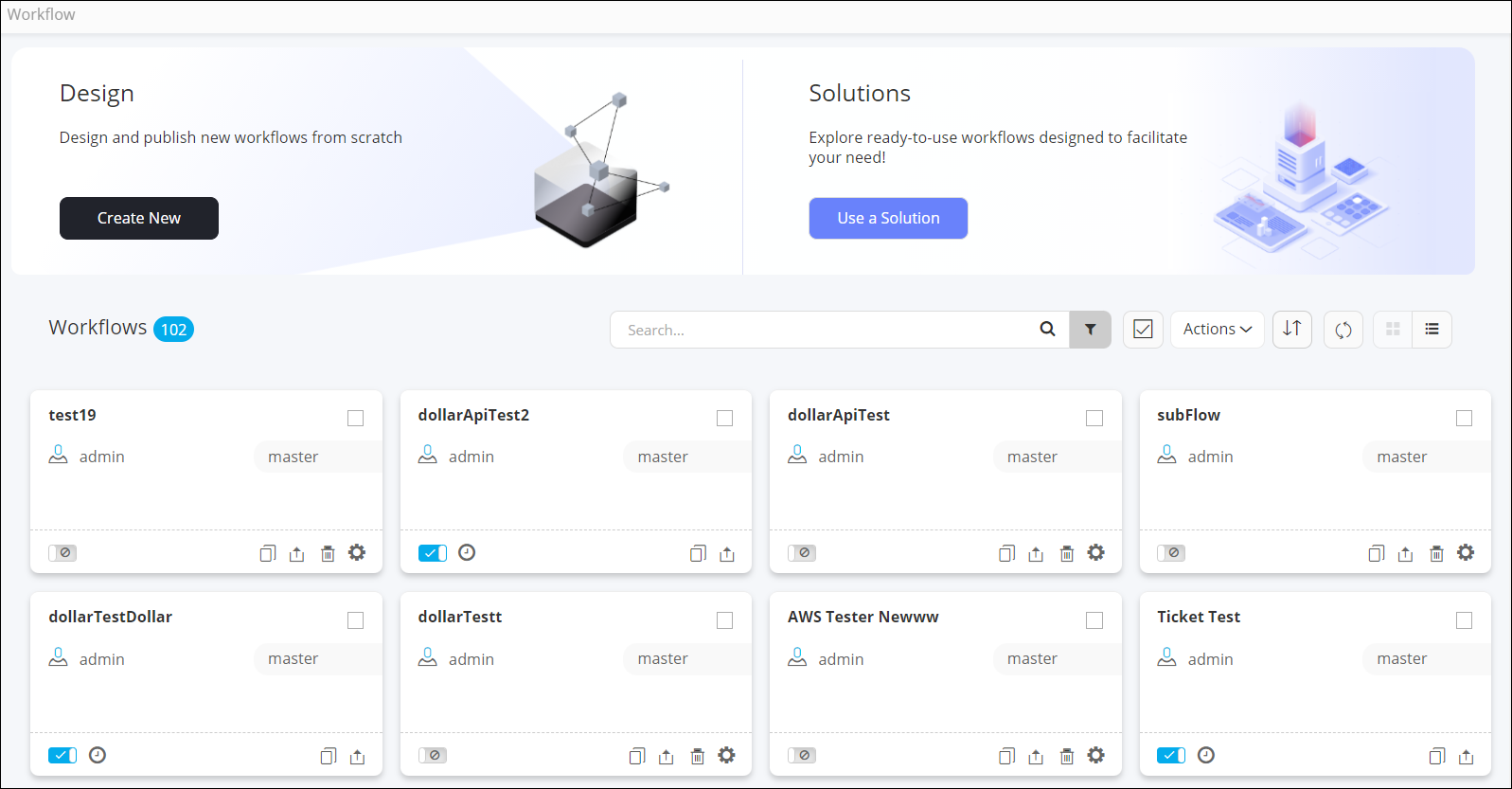
The following table describes the various options available on the Workflow page when
the workflows are in Card view (default):
| Option | Description |
|---|---|
| Design | Allows you to create a new workflow from scratch. Note: For more information, click
here.
|
| Solutions | Allows you to access the ready-to-use OOB Solutions and FAQs. Note: For more information, click
here.
|
| Search bar | Allows you to search for a particular workflow by typing in the keyword. |
 |
Allows you to filter workflows based on the category selected in the dropdown. |
 |
Allows you to select all workflows displayed on the page with a single click. |
| Actions | Allows you to perform the following actions on workflows:
Note: For more information, click
here.
|
 |
Allows you to rearrange the workflows as:
|
 |
Refreshes the page. |
 |
Displays the workflows in a card view. |
 |
Displays the workflows in a list view. |
Note: The Workflow inventory page is displayed in
Card view by default. You can switch to the List view by
clicking .
.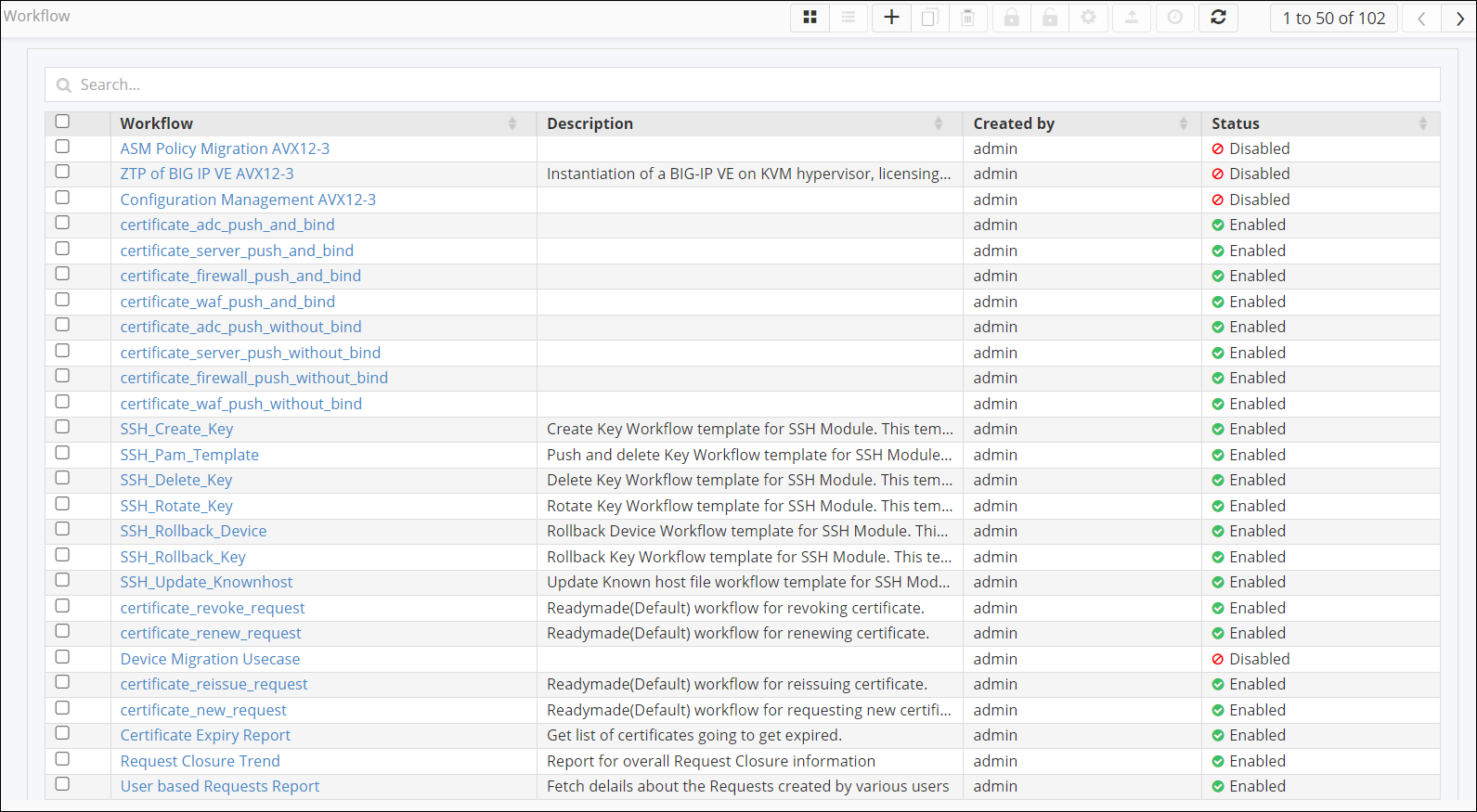
The following table describes the various options available on the Workflow
page when the workflows are in List view:
| Option | Description |
|---|---|
| Search bar | Allows you to search for a particular workflow by typing in the keyword. |
|
Displays the workflows in a card view. |
|
Displays the workflows in a list view. |
 |
Allows you create a new workflow from scratch. Note: For more information, click
here.
|
 |
Allows you to clone a workflow. Note: For more information, click
here.
|
 |
Allows you to delete selected workflow(s). Note: For more information, click
here.
|
 |
Allows you to enable selected workflow(s). Note: For more information, click
here.
|
 |
Allows you to disable selected workflow(s). Note: For more information, click
here.
|
 |
Allows you to define RBAC and other settings for a particular workflow. Note: For more information, click
here.
|
 |
Allows you to export selected workflow(s). Note: For more information, click
here.
|
 |
Allows you to schedule the selected workflow. Note: Only enabled workflows can be
scheduled. For more information, click here.
|
 |
Refreshes the page. |