Collection
Collection is a placeholder for storing custom data which can be used in other workflows,
reports, and service catalogs. Data generated from one workflow can be stored as a
collection and used as a part of another workflow through APIs or Hooks.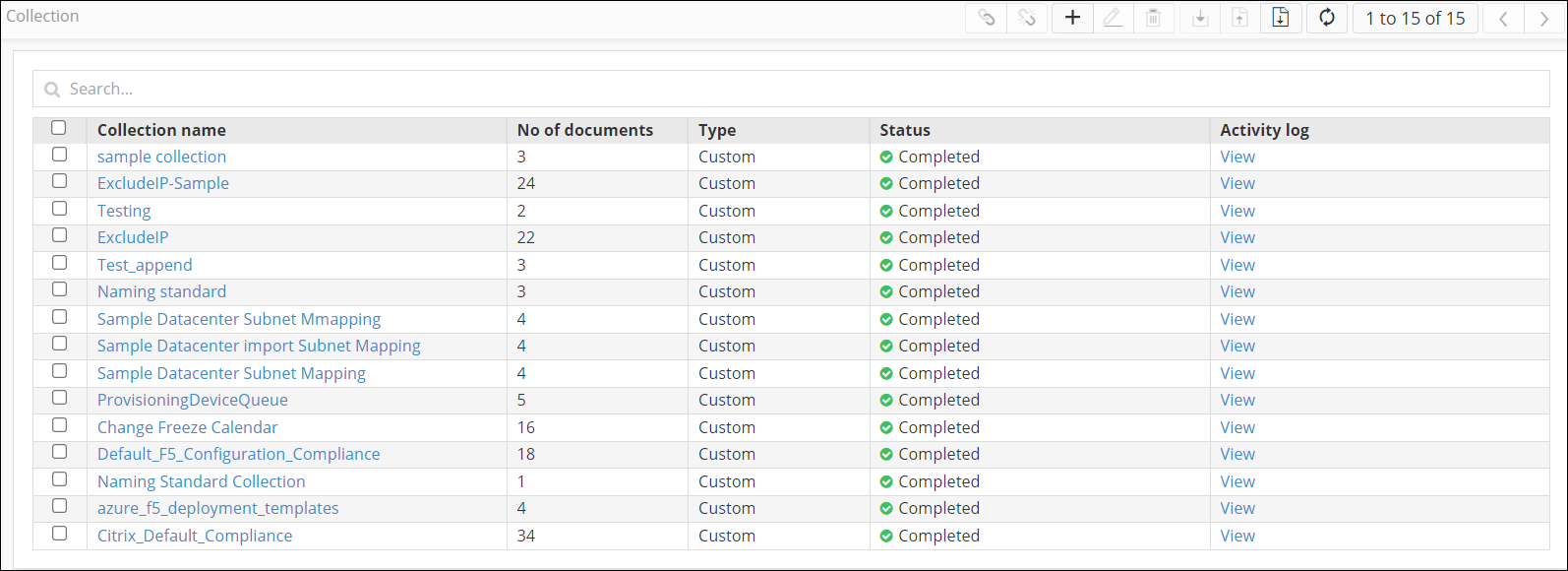
To acess Collections:
| New Menu | Old Menu |
|---|---|
|
From the main navigation menu, select Collection. The Collection page is displayed. |
|
Note: For more information on how to switch
between menus, click here.
|
|
This table explains the options available on the Collection page:
| Option | Description |
|---|---|
 |
Allows you to enable the selected collection(s) for building a
custom query. Note: This option is enabled only when you
select a collection.
|
 |
Allows you to disable the selected collection(s) for building a
custom query. Note: This option is enabled only when you
select a collection.
|
 |
Allows you to create a new collection manually. |
 |
Allows you to edit/update the selected collection(s). Note: This option is enabled only when you
select a collection.
|
 |
Allows you to delete the selected collection(s). Note: This option is enabled only when you select a collection. |
 |
Allows you to download the selected collection(s) as a .xls
file. Note: This option is enabled only when you
select a collection.
|
 |
Allows you to export the selected collection(s) as a .zip file. Note: This option is enabled only when you
select a collection.
|
 |
Allows you to import collection(s) as .xls or .zip files. |
 |
Refreshes the page. |