Accessing the Store
| New Menu | Old Menu |
|---|---|
|
The Workflow > Store page is displayed. |
|
Note: For more information on how to switch
between menus, click here.
|
|
The Store is an inventory of all out of the box
(OOB) workflows made available to users. All OOB workflows are presented in a catalog
view with related workflows grouped together under one catalog. The Store can be
accessed under WORKFLOW section.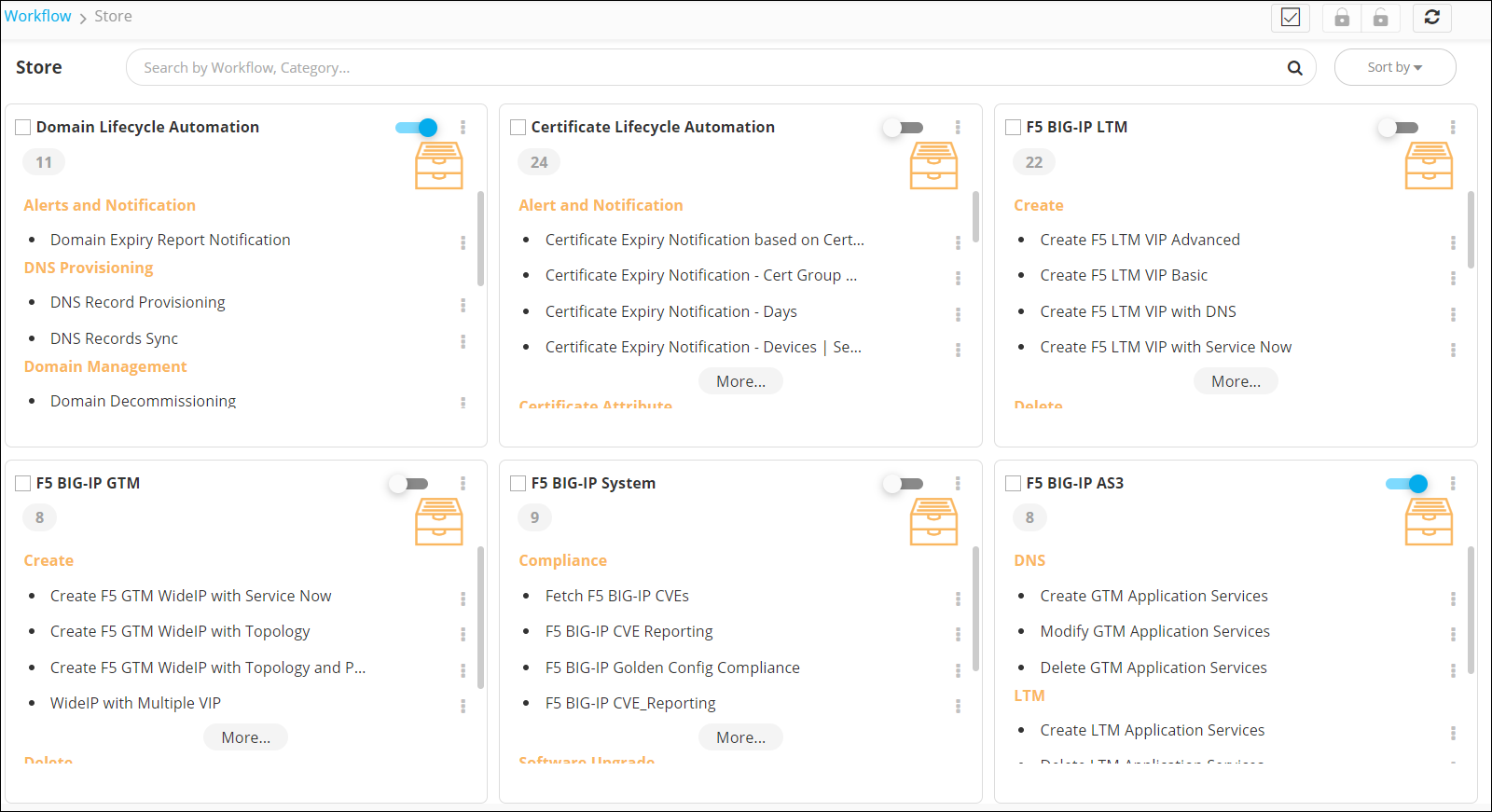 The following table describes
the actions you can perform on the Store page:
The following table describes
the actions you can perform on the Store page:
The following table describes
the actions you can perform on the Store page:| Action | Description |
|---|---|
| Search bar | Allows you to search for a specific workflow in the Store. |
 |
Allows you to select all workflow catalogs on the Store page. |
 |
Allows you to enable all the workflows in a selected workflow catalog(s). Note: This action is enabled only when you
select a workflow catalog(s).
|
 |
Allows you to disable all the workflows in a selected workflow catalog(s). Note: This action is enabled only when you
select a workflow catalog(s).
|
 |
Refreshes the page |
| Sort by | Allows you to sort the catalogs. |
The following options are available in the Store: