Excluding Unmanaged Certificate
To exclude the unmanaged certificates:
-
From the CERT+ menu, under
CERTIFICATE DISCOVERY, click Discovery Status > On
Demand.
The Discovery Status : On-demand page is displayed. Results of all previous discovery instances triggered are listed here.
-
To view the details of a discovery operation, click the Name.
The Discovery Status : On-demand page is updated to show the details of the discovery instance.
-
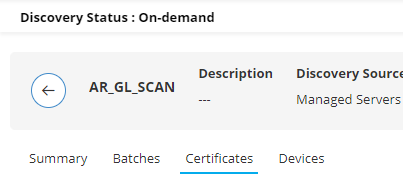
To view the certificates discovered by this discovery instance, click
Certificates.
-
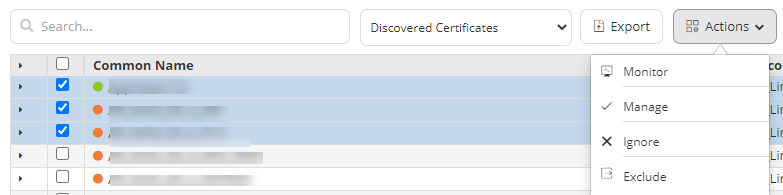
To exclude a certificate, from the list of certificates displayed, click the
checkox corresponding to the required certificate.
You can select multiple such certificates.
-
From the Actions menu, click Exclude.
-
From the Exclude confirmation dialog box, click Yes.
Note: Excluded certificates will be removed from the current discovery instance and will be added to the Excluded from discovery inventory.