Adding a New Regex 
- Go to the Regex Library.
-
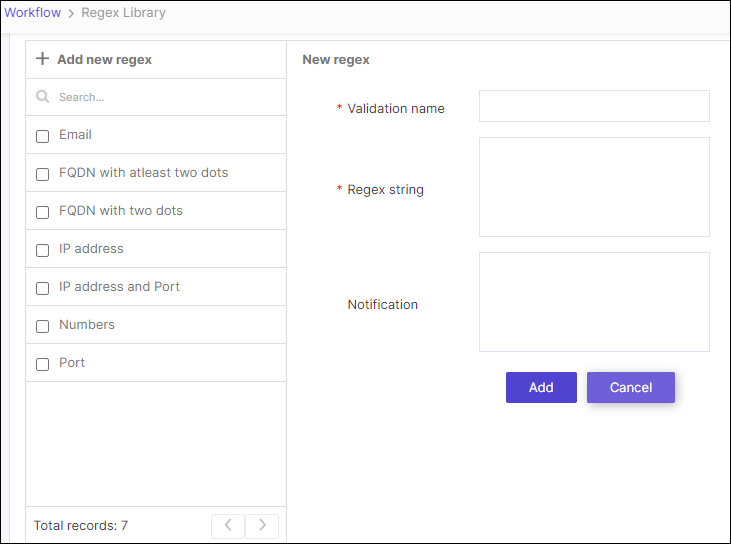
To add a new regex string, on the Workflow > Regex Library page,
click Add new regex.
-
Enter the required field information as shown.
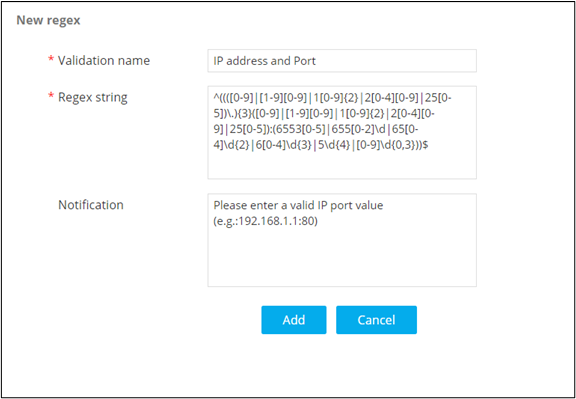
- To save this new regex script to the library, click Add.