Create a Bookmark
If any search strings or search queries are repeatedly used, it can be bookmarked for future access.
To create a bookmark for the ADC frequent search items,
-
Go to Menu >
ADC+ > TRAFFIC MANAGEMENT >
App Search..
The Control Center search screen appears.
- Run a search.
- On the search results screen, click the
button next to the search bar.
-
Click the
 button to create a bookmark folder.
-
Click the
 button on the search bar. A pop-up message will be displayed at the top of
the screen, Bookmark(s) created successfully.
button on the search bar. A pop-up message will be displayed at the top of
the screen, Bookmark(s) created successfully.
-
On the Bookmark Added pop-up screen, enter a name for the
bookmark to help the users identify it.
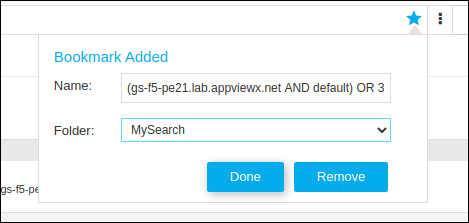
- Select the folder to which you want to add this bookmark from the dropdown list and
click Done.
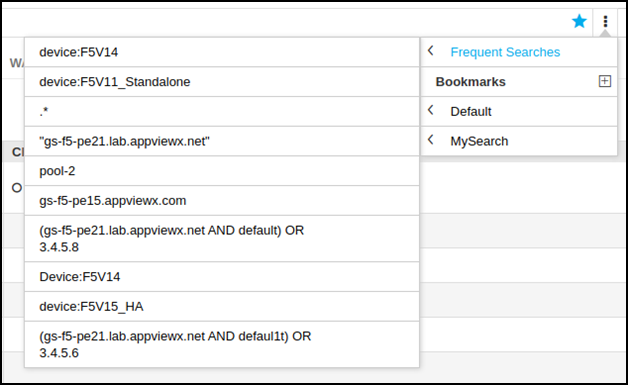
Note: If you want to delete the bookmark, click the Remove button. A pop-up message will be displayed at the top of the screen, Bookmark(s) deleted successfully.Queries that are frequently used are added to the frequent searches by default and the top 10 queries can be accessed in a single click as below: