Device Specification Tab
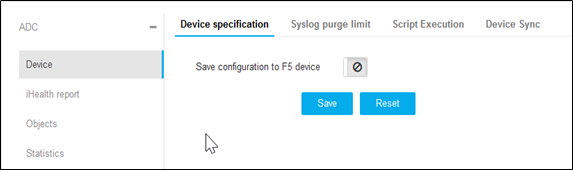
Save the changes of device specification configuration on the F5 device after config fetch. This enables all the changes to be reflected on the F5 file.
To configure a device specification:
- Go to Menu > ADC+ > SETTINGS > Module Settings > ADC > Device > Device Specification tab.
-
Click the toggle icon to enable Save Configuration to the
device.
Note: In this example, F5 device specification is shown.
-
Click Save.
Note: To reset the changes, click Reset.