Device Sync
The device Sync feature allows to customize the configuration sync operations.
To customize the configuration sync operations:
- Go to Menu > ADC+ > SETTINGS > Module Settings > Device > Device Sync tab.
-
On the Device Sync tab, specify the following:
-
Config Fetch - Allows to schedule the config fetch process at a specific time for selected days. Ensures device changes are reflected in AppViewX.
-
Config Fetch Retry - Enable this option and select the maximum number of retries for devices that move to a failed or unresolved state during the midnight sync. The retry will be started based on the config fetch settings. By default, the config fetch duration is set to 4 hours and the frequency is set to 15 minutes. You can configure the duration and frequency of the retry attempts in AppViewX. The parameters are:
- CONFIG_FETCH_RETRY_DURATION - Specifies the duration for retrying config fetches, defined in hours.
- CONFIG_FETCH_RETRY_FREQUENCY - Specifies the frequency of retry attempts, defined in minutes.
-
HA - Sync - Ensures the HA devices are synchronized in specified intervals.
Note: To set device sync, the AppViewX Group Sync flag must be enabled while adding a device to run HA sync as per configured interval.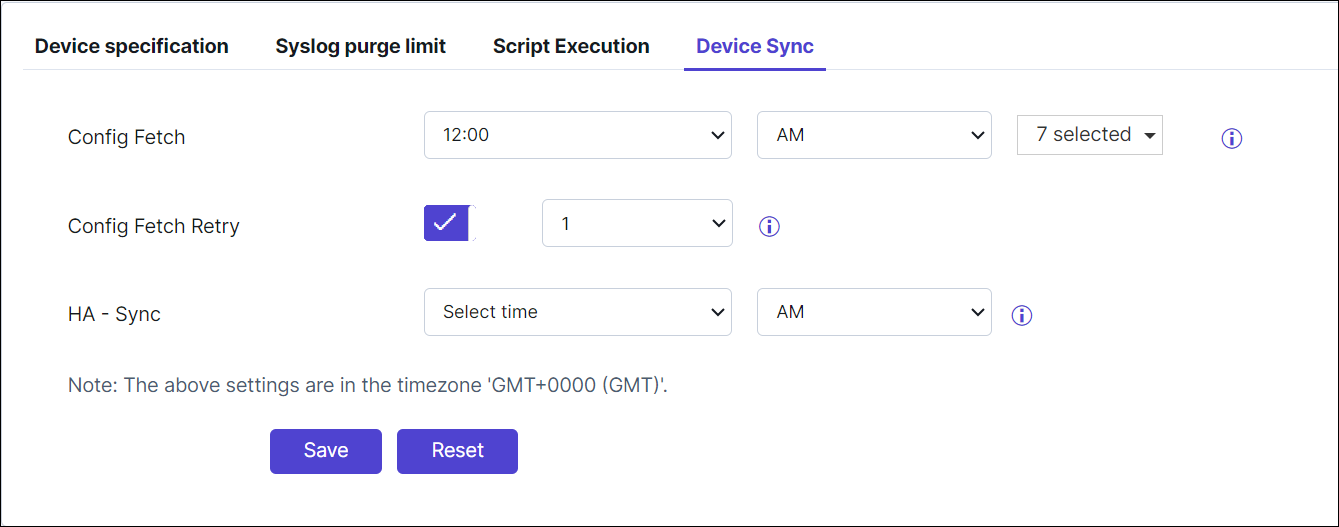
-
-
Click Save.
Note: To reset the changes, click Reset.