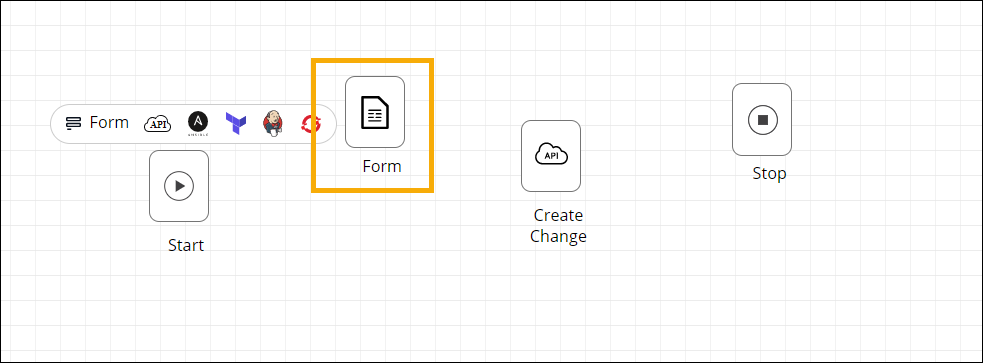
Building Auto-generate Forms 
- Design a new workflow.
-
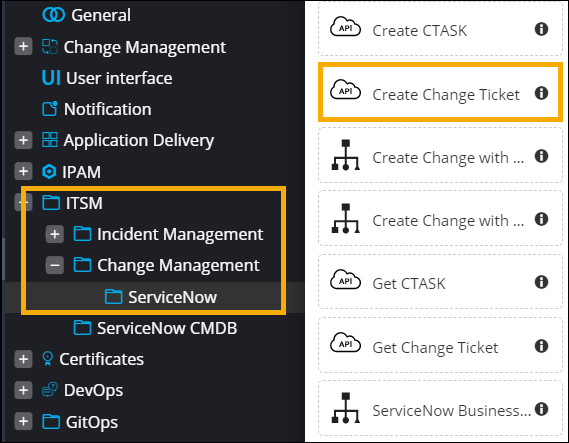
Drag and drop a prebuilt workflow task. For example, Create Change
Ticket task from the ITSM > Change Management >
ServiceNow folder.
-
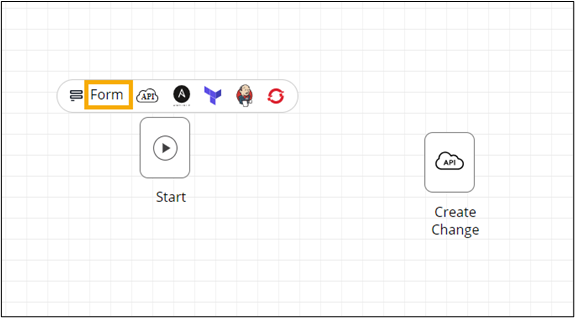
To auto-generate a self-service form, click Form above
the Start task.
 The Auto Generate Form window is displayed.
 - Enter the Form Name.
-
To auto-fill the variables in the form, click
 (Add) icon above the Create Change task.
The input tasks for the Create Change task are auto-populated in the Auto Generate Form window, under Tasks.
(Add) icon above the Create Change task.
The input tasks for the Create Change task are auto-populated in the Auto Generate Form window, under Tasks.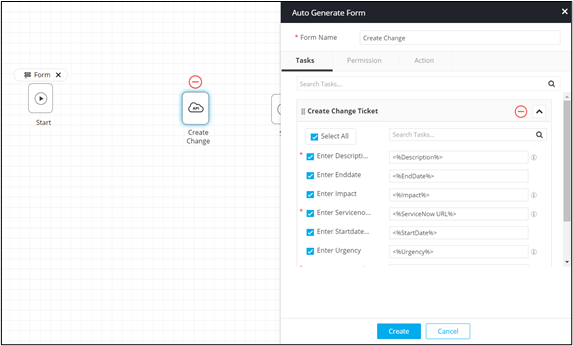
-
Select/deselect the fields to be displayed in the self-service form and click
Create.
The Form task is created and added to the design space.