SDK Automation 
AppViewX SDKs are available
for the following vendors:
- AVI
- Bluecat
- F5
- Infoblox.
The pathway for the AppViewX folder is:
“<Installation
                Directory>/appviewx-dependencies/vw/dependencies/appviewx_sdk”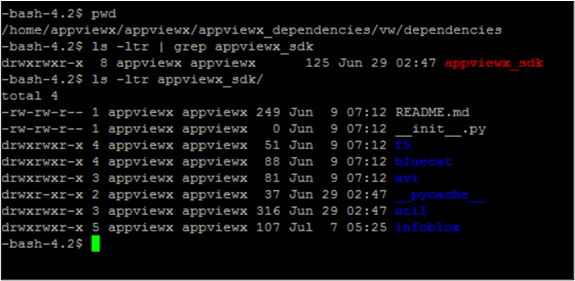
- Design a new workflow. a workflow.
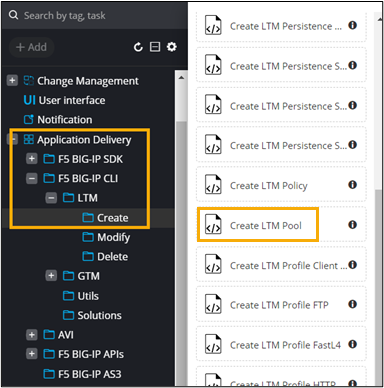
- In the design workspace, from the General section, select Application Delivery > F5 BIG-IP CLI > LTM > Create.
-
From the Create folder, drag and drop the Create LTM Pool
task.
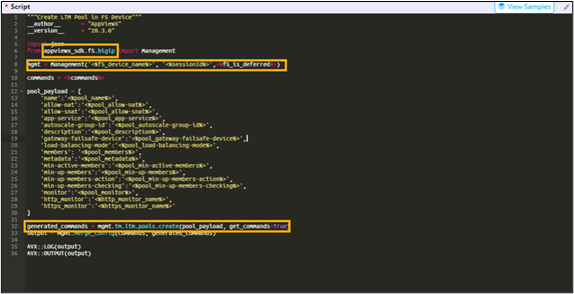
 AppViewX SDK has been used in the script along with a command for creating an LTM pool.
 Note: For more information on out of the box (OOB) workflows, refer to the ADC+ Automation Workflow User Guide.