Customizable Connectors 
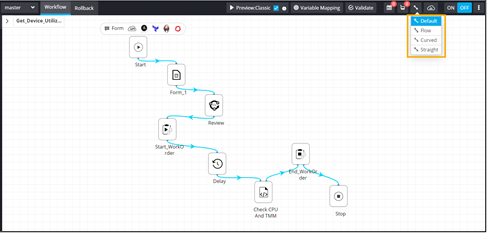
The following types of connectors are available:
- Default
- Flow
- Curved
- Straight.
To customize connectors:
- Go to the Workflow page.
- Open an existing workflow.
-
In the design workspace, to view the different connector options, click
 (Default) icon.
-
Select the connector from the available options.