Changing Server Certificate Status

The status of a certificate can be set as monitored or managed during or after the certificate discovery process and also from the certificate inventory directly. When the certificates are set as Monitored, you can only view the certificate details in reports and in the inventory. When the certificates are set as Managed, the certificate-related actions. All certificates that are discovered will be in a monitored state. Any certificate enrolled from the Kubernetes cluster via KUBE+ will be in a managed state.

To change the server certificate status:

  1. On the Server Certificate page, select the certificate for which you want to change status.
  2. From the Actions dropdown, click Change Status.
  3. In the Change Status pop-up window that is displayed, in the Change Status to field, select the status of the certificate field as Managed or Monitored.
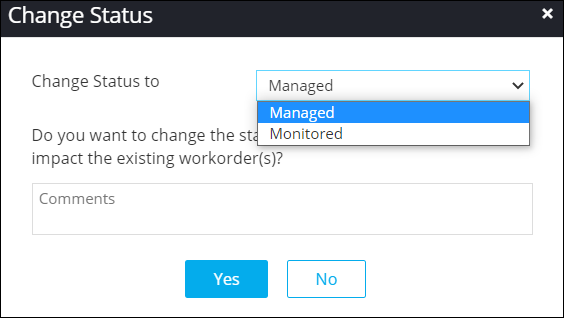
  4. Enter the reason for changing the status, if required, and click Yes.
    The certificate status is changed as per the selection.