Configuration Drift Tab
AppViewX identifies the object configuration changes (as part of config fetch,  Syslog notification, etc.,) and stores the drift to generate reports, governance, and
rollbacks. You can customize the number of days the drift must be persisted.
Syslog notification, etc.,) and stores the drift to generate reports, governance, and
rollbacks. You can customize the number of days the drift must be persisted.
To customize the number of days for the configuration drift:
- Go to Menu > ADC+ > SETTINGS > Module Settings > ADC > Objects.
-
Click the Configuration Drift tab.
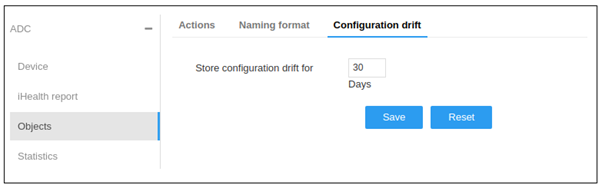
- Enter the store configuration drift value up till 90 days in the Store Configuration Drift for the field.
-
Click Save.
Note: To discard the changes, click Reset.