Expired CA
A PKI administrator can quickly identify CA certificates nearing expiry and take action before they expire, ensuring the PKI system remains secure and up-to-date.
When there are expired CA certificates in the inventory, they will be shown automatically
on the CA Inventory page on logging in. The expired CA certificates are displayed
with a red indicator along with the status as Expired and expiry date. The
administrator can renew or delete these expired CA certificates.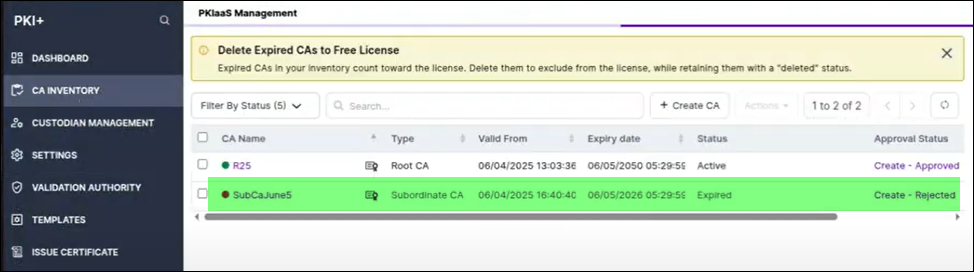
You can view all the expired CAs by selecting Expired option from Filter by Status.