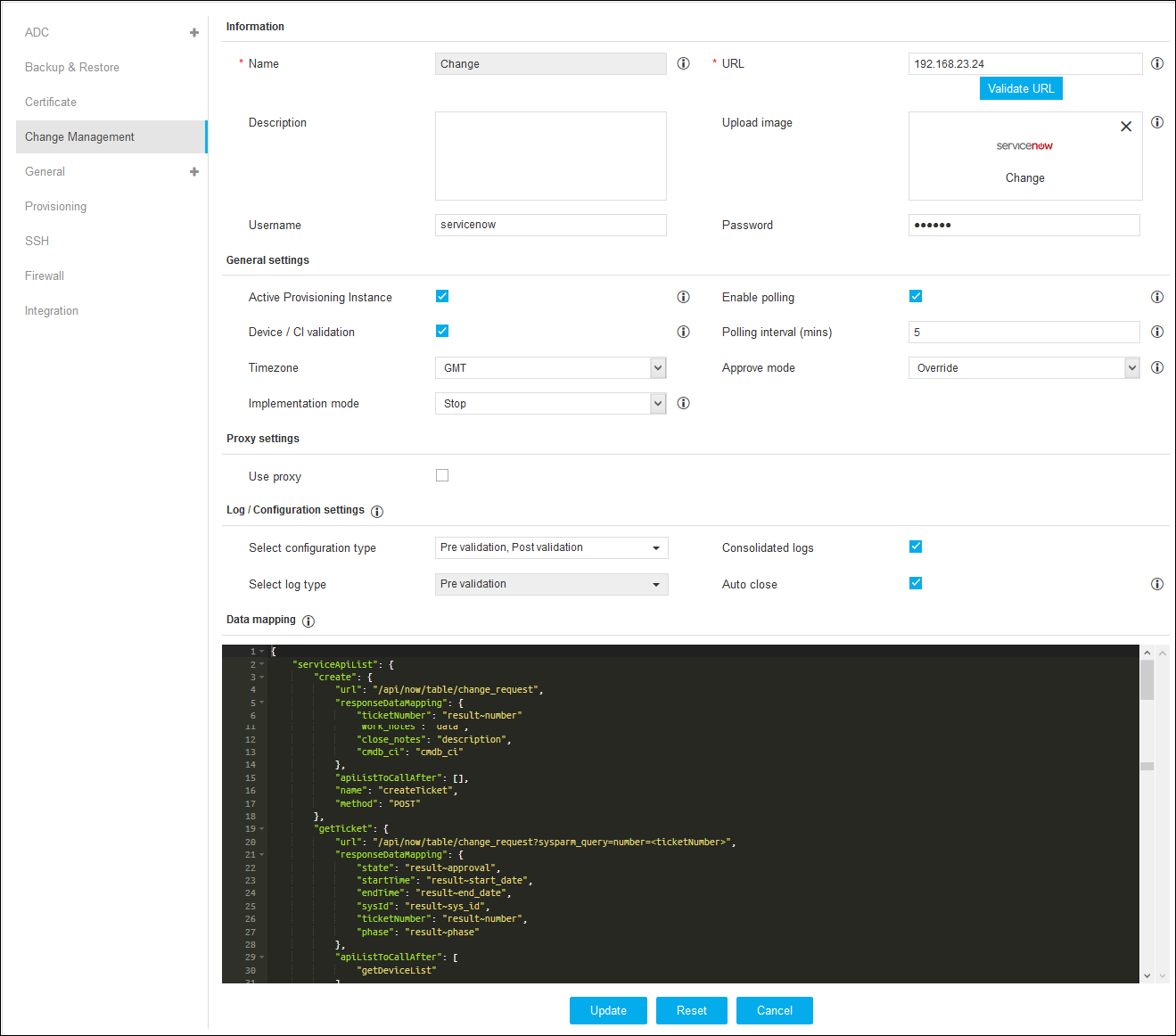
Change Management allows you to configure ITSM vendor instances. To configure ITSM vendor
instances:
Click and select
Settings > Change Management.
Click + icon on the top right.
On the Vendor Configuration details page, under Information, enter the name,
URL, description, username, and password.
In the Upload Image section, choose a vendor image to upload.
Under General Settings, enable the respective checkboxes of Active Provisioning
Instance, Enable Polling and Device/CI Validation.
Enter the Polling Interval time in minutes.
Select the time zone from the Time Zone drop-down.
Select Override or Stop from the Approve Mode drop-down.
Select Override or Stop from the Implementation Mode drop-down.
Under Proxy Settings, enable the Use Proxy checkbox.
Under Log/Configuration Settings, select the configuration type and log type.
Enable the respective checkboxes of Consolidated Logs and Auto Close.
Under Data Mapping, you can define ITSM configurations such as create ticket API, close ticket
API, update API and data mapping between AppViewX and ITSM.
Click Add to add the vendor configuration details.
 and select
Settings > Change Management.
and select
Settings > Change Management.