GPO LogOn Settings
To run the LogOn Application during start-up, it has to be configured in the GPO. Following are the steps to configure it on the GPO:
-
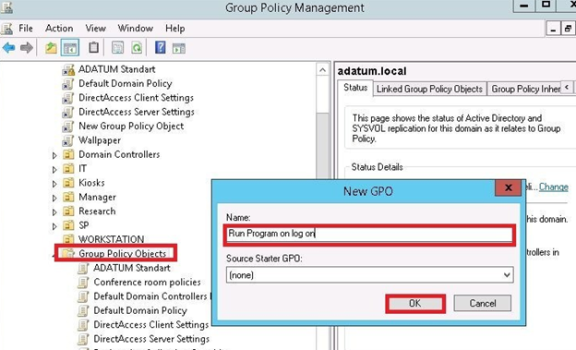
Log on to Windows server and Open Group Policy Management and create a new
policy:
-
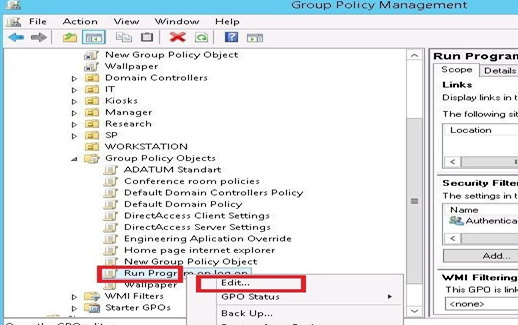
Right-click on the created GPO and click Edit.
-
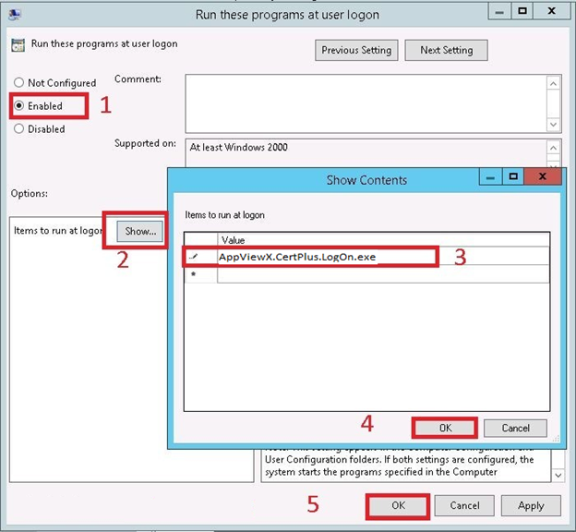
Go to ConfigurationAdministrative TemplatesSystemLogon and double click
Run Following are the programs at the user log on:
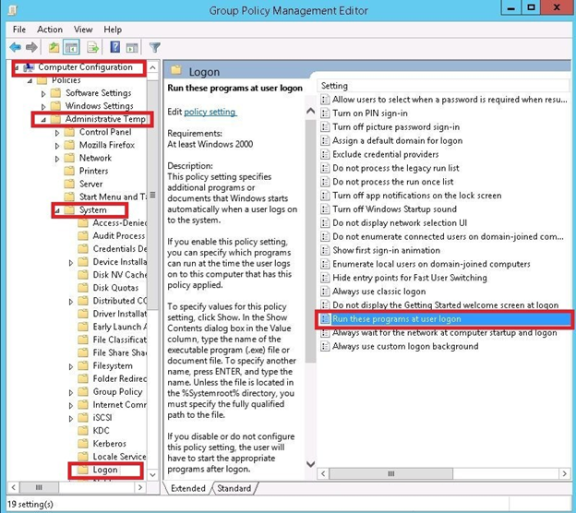
- Click Enable and then click Show.
-
Enter the program that you want to run on a user logon (For example Internet Explorer)
and click OK and then OK again.
-
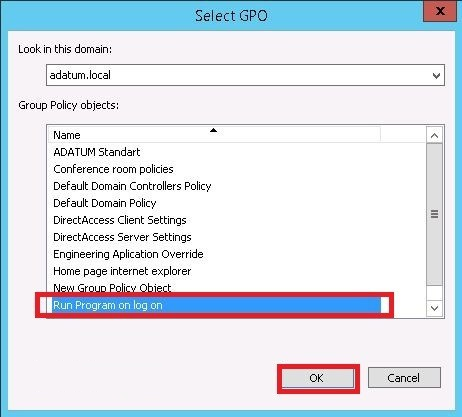
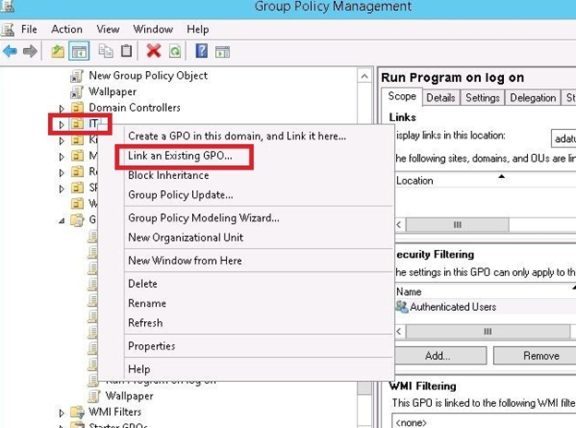
Now you need to apply that GPO on OU that you need. So right-click OU and click
Link an Existing GPO:
-
Choose GPO Run Program on log on and click OK.