Configuring Forwarding Settings
-
On the Settings :: Log Forwarding page, under the Forwarding
settings tab, enter the following details:
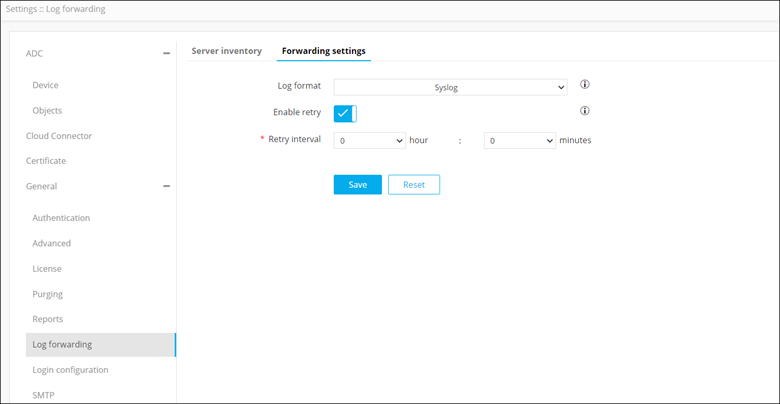
Field Description Log format To select the format in which logs should be forwarded to the external server, from the drop-down menu, select one of the following options: - Syslog
- CEF
Note: CEF is the most recent industry standard for forwarding logs.Enable retry If an attempt to forward logs fails because of server unavailability, AppViewX lets you set a retry interval—the duration after which logs will be forwarded again. To enable this retry, turn on the Enable retry toggle.
*Retry interval To set a retry interval, from the hour and minutes drop-down menus, select the required values. Note: This field is displayed when the Enable retry toggle is turned on.All * marked fields are mandatory. - To set a retry interval, from the hour and minutes drop-down menus, select the required values.