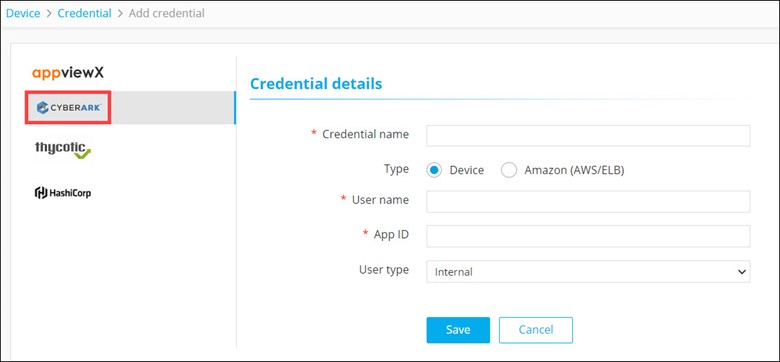
| *Credential name |
Name for the credential for the users to identify
it. |
| Type |
To retrieve a credential from the CyberArk vault, select
one of the following options:
- Device (default)
- Amazon (AWS/ELB)
Note: This field is displayed when
the Device type is selected.
|
| *User name |
User name that has been added in CyberArk.
Note: This field is displayed when
the Device type is selected.
|
| *App ID |
App ID that has been authorized to provide access to
CyberArk and retrieve credentials.
Note: This field is displayed when
the Device type is selected.
|
| User type |
From the drop-down menu, select one of the following:
- Internal (user created directly in the device)
- External (user created in the Active Directory)
Note: This field is displayed when
the Amazon (AWS/ELB) type is selected.
|
| *AWS IAM username |
User name that has been added in CyberArk.
Note: This field is displayed when
the Amazon (AWS/ELB) type is selected.
|
| *App ID |
Reference ID provided by CyberArk for the corresponding application.
Note: This field is displayed when
the Amazon (AWS/ELB) type is selected.
|
| *AWS access key ID |
Access key ID generated from the AWS management
console. |
| All * marked fields are
mandatory. |