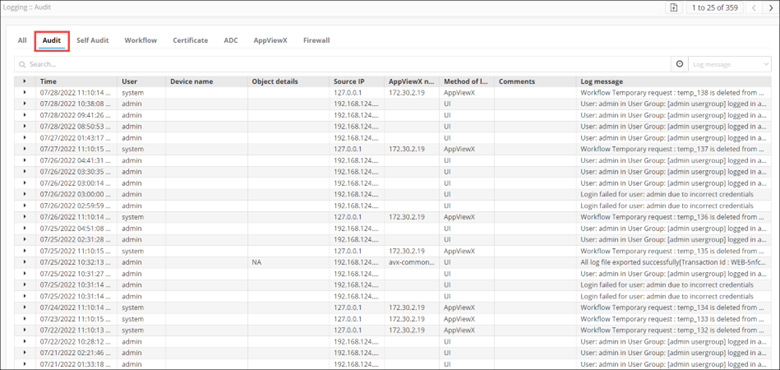
| Time |
Date and time at which the activity was carried
out |
| User |
Username of the user who performed the activity. |
| Device name |
Name of the device, if the log is of a
device-related activity |
| Object details |
Name of the object, if the log is of a
object-related activity |
| Source IP |
IP address of the system that was the source of
the activity. |
| AppViewX node |
IP address of the installed AppViewX node. |
| Method of login |
The method used for logging in to the AppViewX node, from
one of the following:
- UI
- AppViewX (used for cronjob-related
activities)
|
| Comments |
Comments related to the activity logged. |
| Log Message |
Description of the activity logged |
 icon.
icon.