Viewing Workflow Logs
-
To access the navigation pane, in the top-left corner of the screen, hover the
mouse pointer over the
 icon.
icon.
-
From the menu displayed, click Logging.
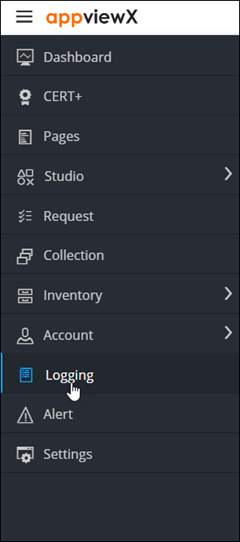
The Logging :: All page is displayed (by default). -
On the Logging page, click the Workflow tab.
The Logging :: Workflow page is displayed.
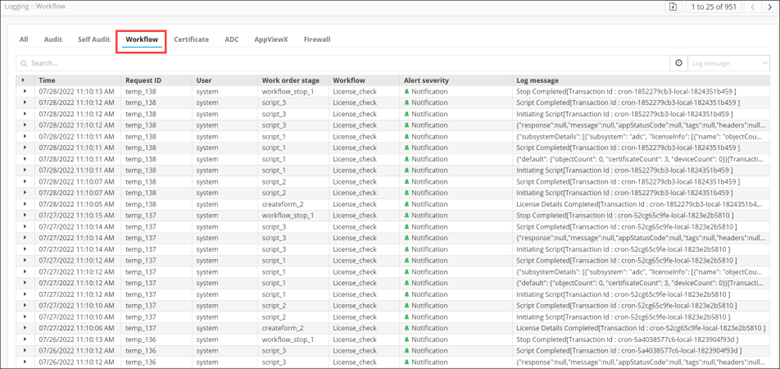
The page displays the following details for the Workflow logs:Category Description Time Date and time at which the activity was carried out. Request ID Workflow Request ID User Username of the user who performed the activity. Work order stage The stage at which an action is performed on the workflow. Alert severity Severity of the workflow. Log Message Description of the activity logged.