AVX::FILEDOWNLOAD
Syntax:
output = {"AVX::FileDownload" :{"linkData": <dictionary value> ,"fileName":‘<excel file name>', "columnHeaders":<list of column headers to be added>}}To use this command:
- Design a new workflow.
-
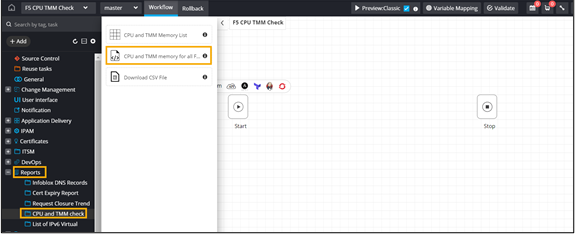
Under Reports, from the CPU and
TMM folder, drag and drop the CPU and TMM
Memory task.
This script will scan all the F5 devices managed for the CPU and TMM memory.
-
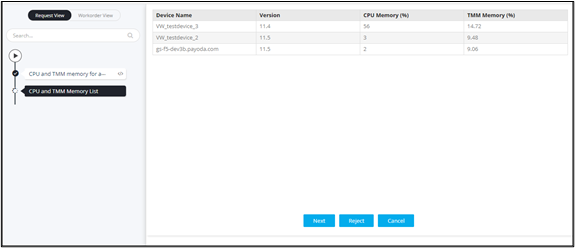
Drag and drop the CPU and TMM memory List task.
This task will display the Device name, CPU (%), and TMM (%) in a grid view.
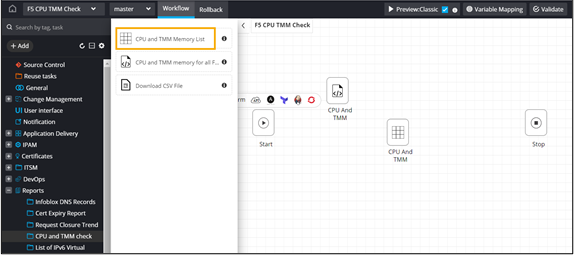 Note: Assign RBAC to users who can access this task.
 -
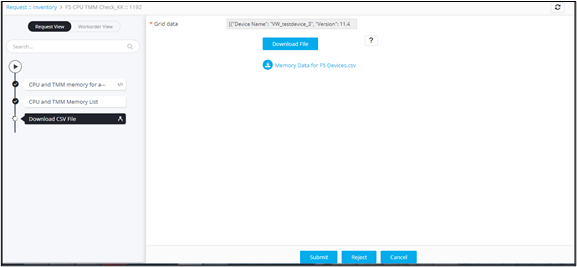
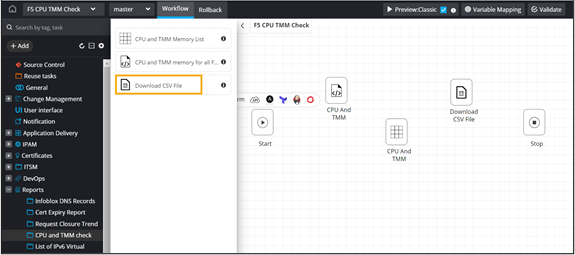
Drag and drop the Download CSV file task. This task
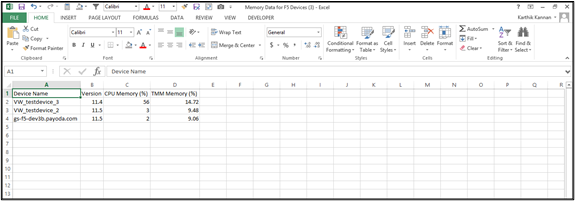
contains the device and CPU/TMM details from the Grid task in a .csv file.
-
Define the file download logic to generate a .csv file on run time.
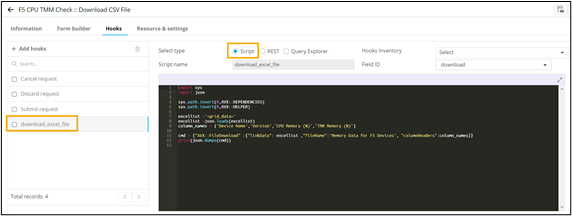
import sys
import json

sys.path.insert(0,AVX::DEPENDENCIES)
sys.path.insert(0,AVX::HELPER)

excellist ='<grid_data>'
excellist =json.loads(excellist)
column_names = ['Device Name','Version','CPU Memory (%)','TMM Memory (%)']

cmd = {"AVX::FileDownload" :{"linkData": excellist ,"fileName":'Memory Data for F5 Devices', "columnHeaders":column_names}}
print(json.dumps(cmd))
-
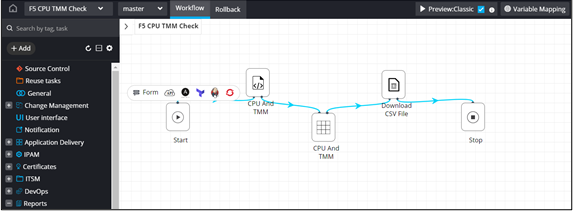
Connect and enable
the workflow.
-
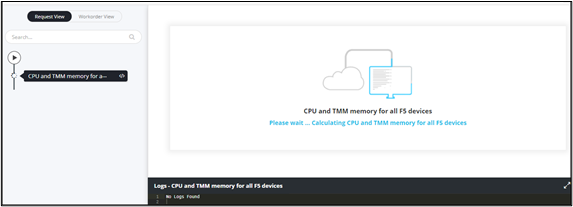
Trigger the workflow from the Request ::
View/Run page.
-
Click Download file to generate .csv file.