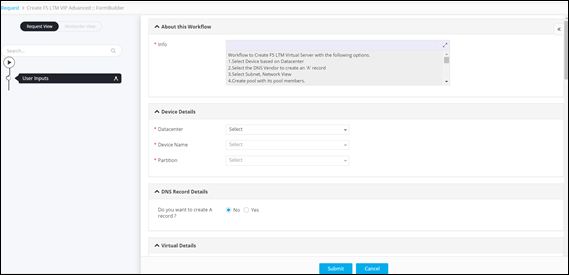
Request :: View/Run
- Provision to search for a workflow by keyword.
- Provision to trigger a workflow on demand.
- Provision to schedule a workflow.
To trigger a workflow from the Workflow Request :: View/Run page:
-
From the top left corner of the screen, click
 .
.
- From the menu displayed, click Request.
-
On the Request :: Overview page, from the navigation
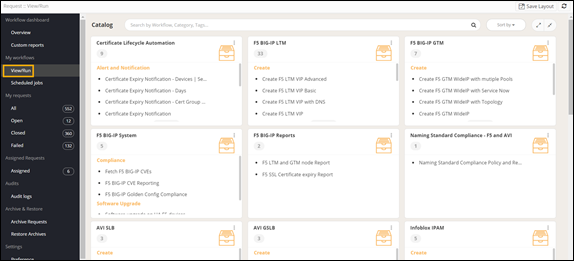
page pane on the left, click View/Run.
The Request :: View/Run page displays all the workflows that have been enabled in the Workflow Studio.
-
On the Request :: View/Run page, to trigger a workflow
search for the workflow name and click
 .
The workflow is executed with the user inputs being requested at the first stage.
.
The workflow is executed with the user inputs being requested at the first stage.