Scheduled Jobs
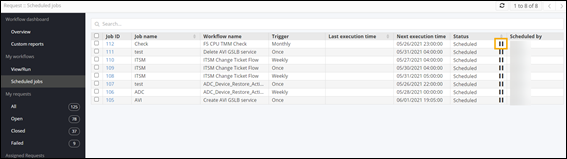
- Provides an option to ‘pause’ and ‘play’ a workflow.
- Provides details of execution time, trigger time and logs.
To schedule a job:
-
On the Request :: Overview page, from
the navigation pane in the left, click Scheduled Jobs.
The Request :: Scheduled Jobs page is displayed.
-
On the Request :: Scheduled Jobs page, to pause a
scheduled job click
 .
. 
The scheduled job is paused. -
To resume a paused scheduled job, click
 .
The scheduled job resumes.
.
The scheduled job resumes.