Request :: Overview
To access the Request :: Overview page:
-
From the top left corner of the screen, click
 .
.
-
From the menu displayed, click Request.
The Request :: Overview page is displayed.
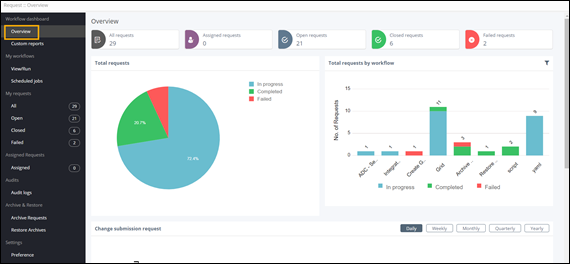
Note: Click on any section of the chart or metric and navigate directly to the inventory. Following are the possible statuses for a workflow request:Status Description In-progress The request is awaiting a response to proceed. Completed The request is complete and successful. Failed The request failed during execution. Partial The request is partially executed. Rolled Back The request is complete and has rolled back to its previous state. Paused The request is suspended/paused. Aborted The request is aborted.