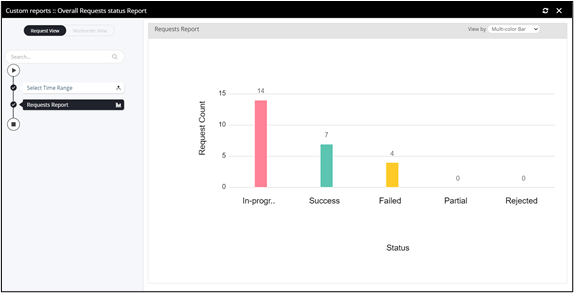
Custom Reports
- Any workflow created under the category Reports will be available under Custom report section.
- Provision to search for a custom report.
- Provision to apply custom sort based on ascending, descending, recently created.
- Provision to execute/run a custom report workflow.
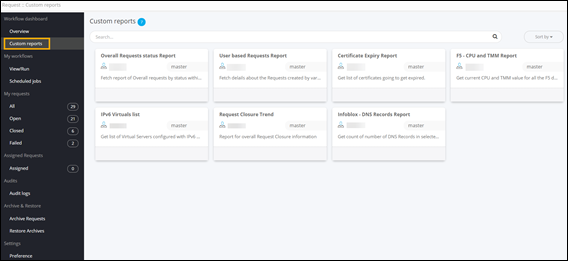
To execute a custom report workflow:
-
On the Request :: Overview page, from
the navigation pane on the left, click Custom
Reports.
The Request :: Custom Reports page is displayed.
-
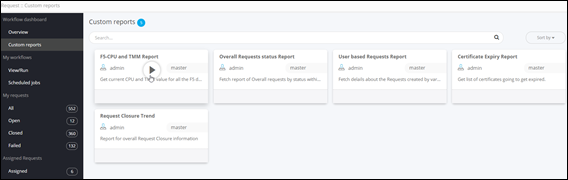
To execute any workflow under Custom Reports, hover your
mouse over the workflow and click
 .
. 
-
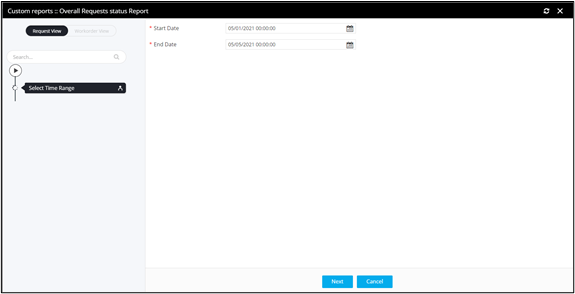
Enter the Start Date and End
Date.
-
Click Ok in the Confirmation
pop-up window.
Custom report is ready.