Archive Workflow Requests
To trigger an archive workflow request:
-
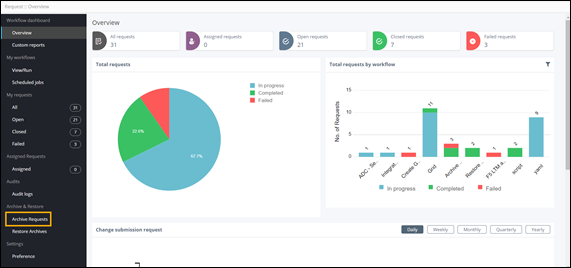
On the Request :: Overview
page, from the navigation pane on the left, under Archive &
Restore, click Archive Requests.
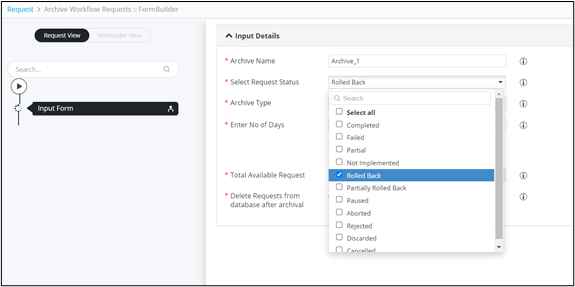
- In the Input form, provide a suitable Archive Name.
-
Select one or more request status to archive workflows.
-
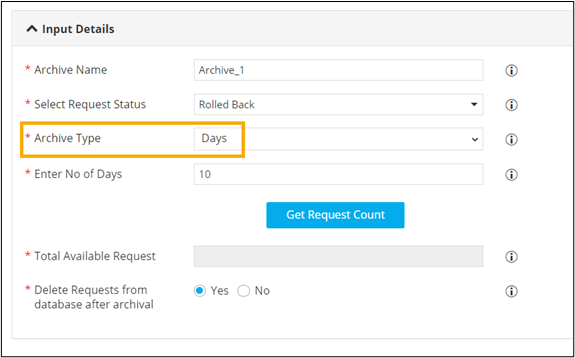
Select the duration for which the requests will be archived.
For example, selecting the archive type as Days and number of days as 10 will archive requests older than 10 days.
- To archive workflow requests between specific dates, under Archive Type, select Between Time.
-
Select the Start and End dates.
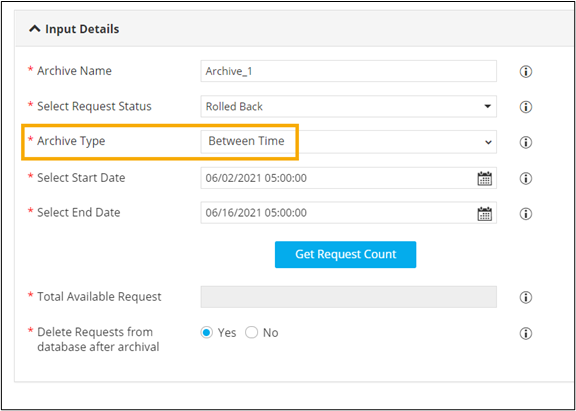
- To get the total number of requests that match the selection, click Get Request Count.
- To delete the requests from the database after archival, select Yes.
- Click Submit.