Workflow Inventory Menu
The grouping in the left menu allows you to perform a variety of actions.
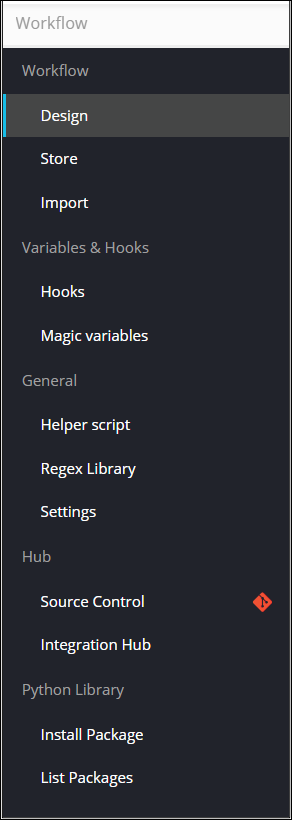
The following actions can be performed from the Workflow Inventory menu:
| Group | Action | Description |
|---|---|---|
| Workflow | ||
| Design | Allows you to design an automation workflow. | |
| Store | Displays an inventory of all out of the box (OOB) workflows. | |
| Import | Allows you to import a workflow. | |
| Variables & Hooks | ||
| Hooks | Displays the Hooks Inventory and allows you to create, delete, import and export hooks. | |
| Magic Variables | Allows you to define hooks as magic variables and use them within a workflow. | |
| General | ||
| Helper Script | Displays a list of all available Helper Scripts and allows you to define and refer helper scripts within workflows. | |
| Regex Library | Displays a list of regular expressions and allows you to define custom regex validation that can be referenced against a specific form field. | |
| Settings | Allows you to set Role Based Access Control (RBAC) for accessing and executing workflows. | |
| Hub | ||
| Source Control | Allows you to connect to AppViewX Git repository and download tasks, workflows. | |
| Integration Hub | Allows you to integrate workflows with an ITSM system. | |
| Python Library | ||
| Install Package | Allows you to install a Python package from a third party repository. | |
| List Packages | Allows you to view the list of Python packages available within AppViewX. |