Design
This feature allows you to create a new workflow or modify an existing flow. The
canvas is a placeholder to drag and drop tasks, to define custom logic, and stitch
together an automation workflow.
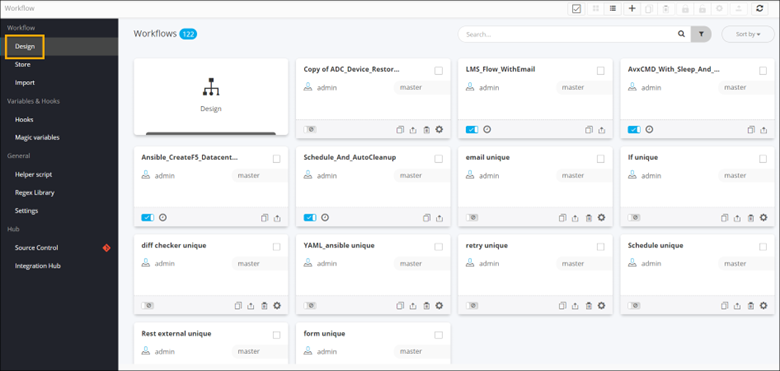
The following options are available when designing a new workflow:
- Provision to design a new workflow and assign a category and a sub category.
- Provision to search and view the inventory of tasks by category
- Provision to drag and drop in-built, custom tasks to design a workflow
- Provision to clone existing tasks and use them in a workflow
- Provision to delete tasks
- Provision to link and update existing links and connect tasks within a workflow
- Provision to validate a workflow for errors
- Provision to assign a workflow to user role(s)
- Provision to enable or disable a workflow
- Provision to bookmark workflow task(s)
- Provision to preview a workflow task
- Provision to preview a workflow/nested workflow
- Provision to reuse and/or import workflow and workflow task(s)