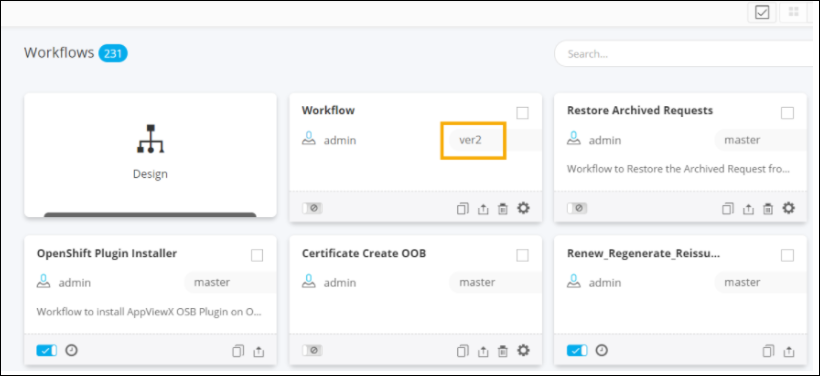
Version Control
- Provision to version control the workflows.
- Provision to upload and audit requirements/artifacts against each version.
- Version control allows for tracking up to ten versions of the workflow.
- Provision to update, modify version.
- Provision to audit changes made to workflow tasks via ‘Task history’
To see the version list of a workflow:
- Open an existing workflow.
-
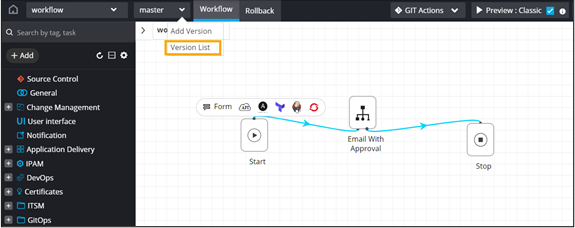
From the master dropdown menu,select Version List.
The Version List window displays the list of all versions existing for the workflow.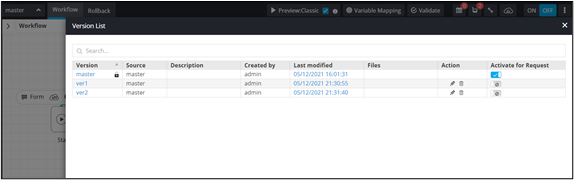
-
To enable a particular workflow version, turn on the toggle.
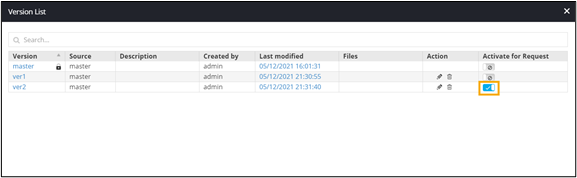
Note: Only one version can be enabled at a time.The enabled version is added to the Workflow inventory page.