Enabling/Disabling the Feedback Option
-
From the top left corner of the screen, click
 .
.
-
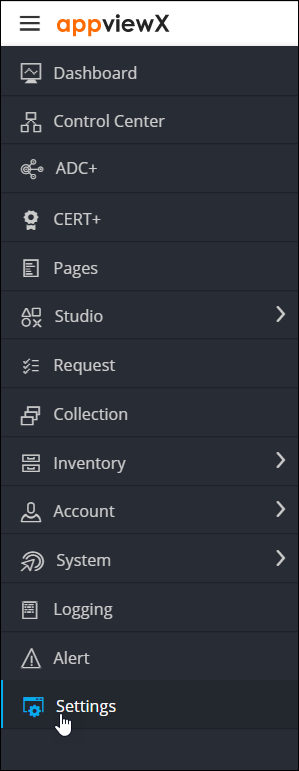
From the menu displayed, click
Settings.
-
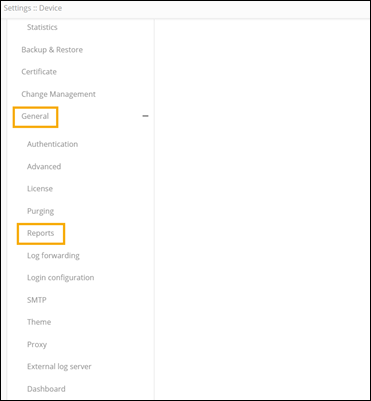
On the Settings page, under
General, select Reports.
-
To enable feedback, turn on the toggle. To disable feedback, turn off the
toggle.
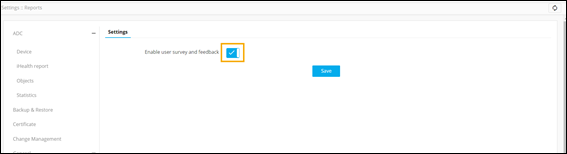
- Click Save.