Clone a Pre-built Report
To clone a pre-built report,
- Log in to the AppViewX application with valid credentials.
- Click Menu > Studio > Reports.
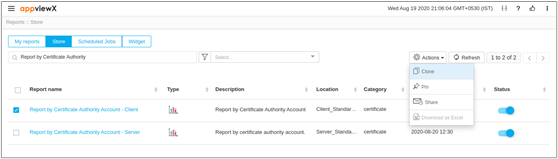
- Under the Store tab, enable the checkbox to select a report.
- Click Actions dropdown on the top-right and select Clone.
- On the Clone Report pop-up window, enter a name.
-
Click Save.
 The cloned reports will be displayed under the Store tab.Note: By default, store/pre-built reports are enabled. You cannot disable or delete it.