Share a Pre-built Report
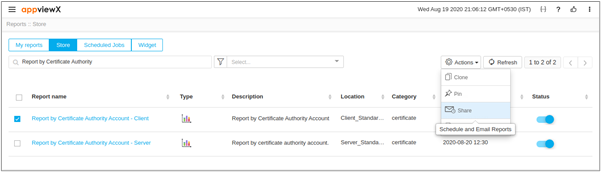
To share a pre-built report,
- Log in to the AppViewX application with valid credentials.
- Click Menu > Studio > Reports.
- Under the Store tab, enable the checkbox to select a report.
- Click Actions dropdown on the top-right and select Share.
- On the Schedule reports window, fill out the General section for mail content and the Schedule section for scheduling emails.
- Click Save.