View Custom Reports
To view custom reports,
- Log in to AppViewX application with valid credentials.
- Click the menu button located in the upper left corner of the screen.
The left navigation pane appears.
-
Click Studio > Reports.
By default, the My Reports page will be displayed.
-
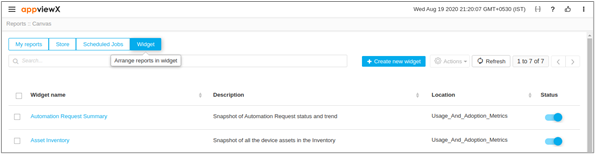
Click Widget on the top-left.
A list of custom reports with the Widget Name, Description, Location, and Status will be displayed.
- You can search for reports and filter reports by category.