Configuring an Ansible Instance
- Navigate to the Integration Hub.
- On the Workflow > Integration page, click Ansible.
-
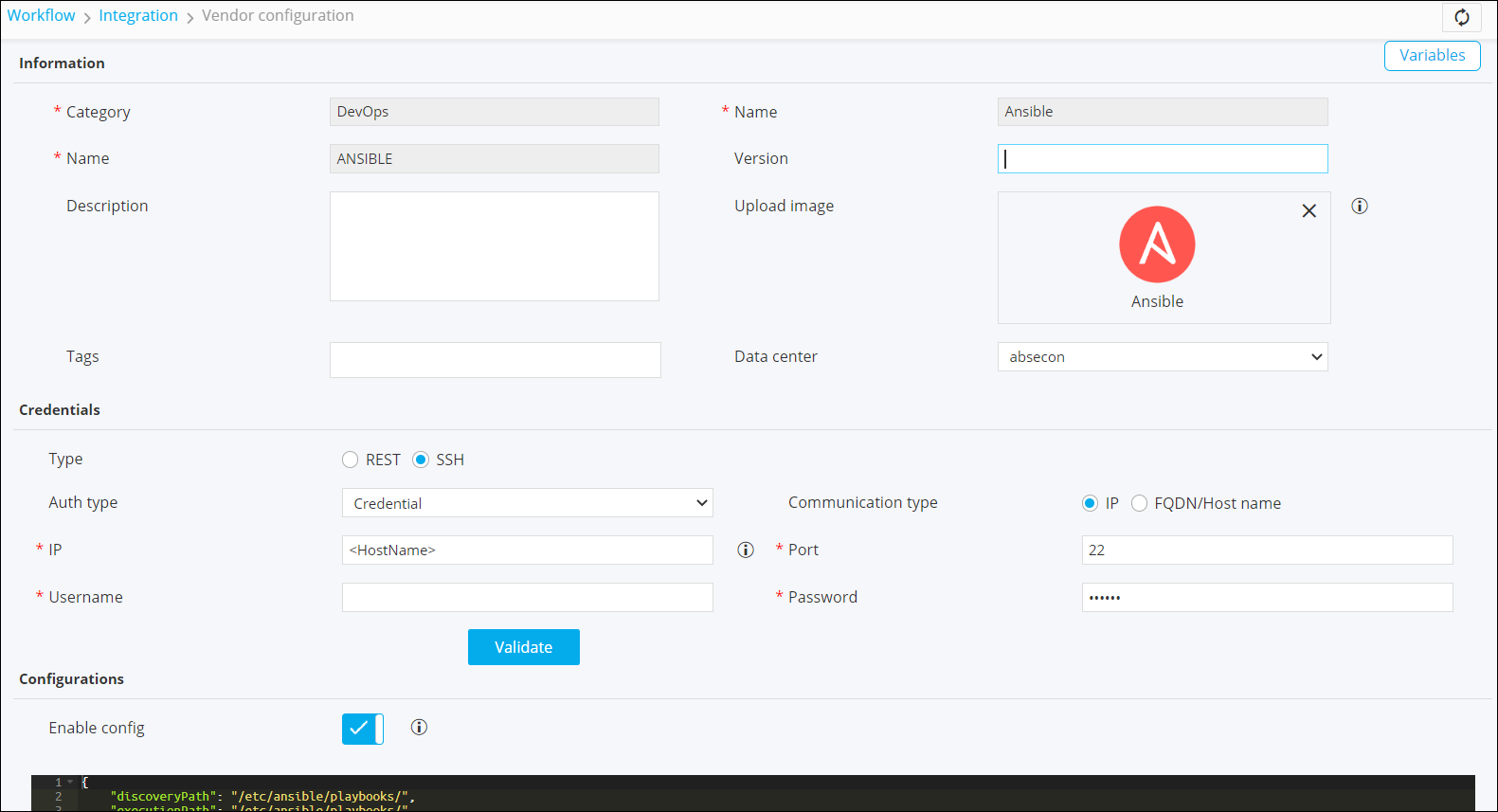
On the Vendor configuration page, enter the required
field information.
-
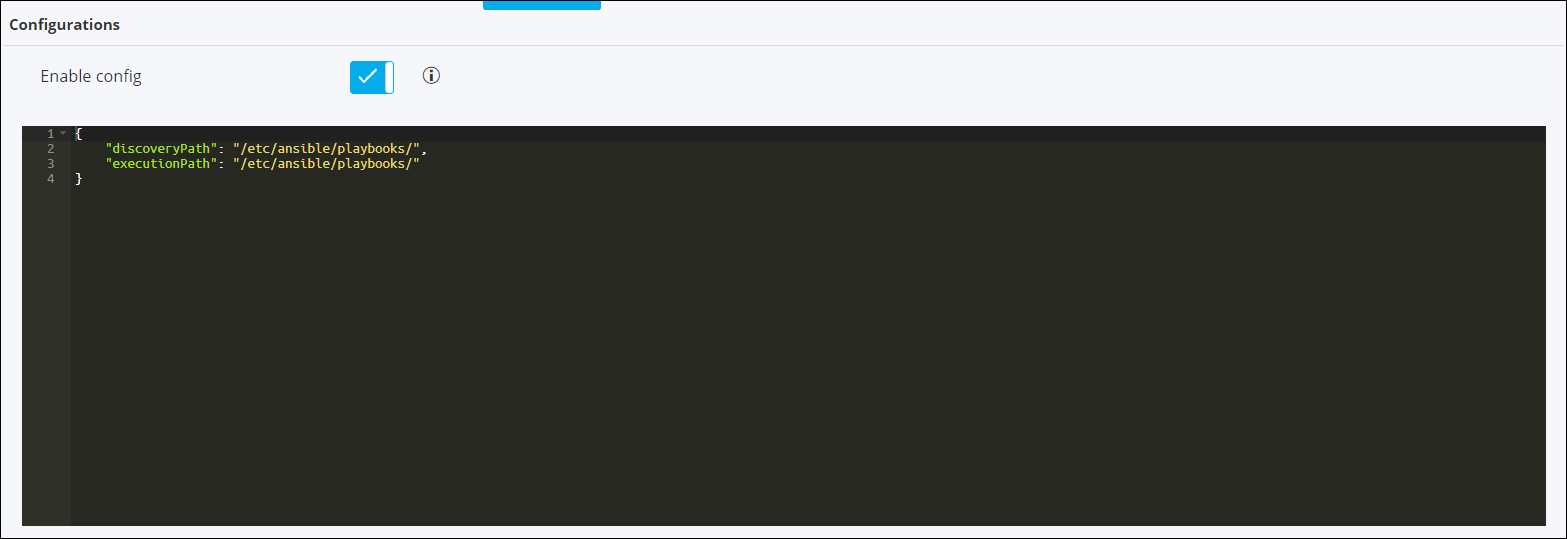
Under Configurations, turn on the Enable config toggle and define
the folder/path from where existing playbooks can be discovered within the
workflow studio.
-
Click Add.
Note: For more information on Ansible - Visual Workflow Northbound integration, click here.