Creating a REST API Hook
- Navigate to the Hooks Inventory.
-
On the Workflow > Hooks Inventory page, from the command bar on
the top right corner of the screen, click
 .
.
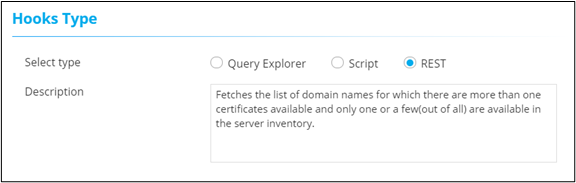
- On the Workflow > Hooks Inventory > Add page, under Hooks Type, select REST.
-
Enter a description for the hook.
-
Under API Details, enter or select the required field information.
- Using REST API: This is an external facing customer API (For
example, ServiceNow, JIRA, GIT)
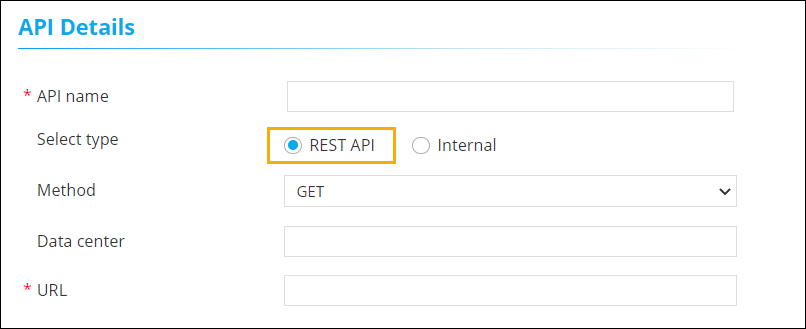 The following table describes fields in this section:
Field Description API name Enter a valid name for the API. Select type You can select between REST API and Internal. - REST API: Use this to select external API and enter the URL.
- Internal: Use this to select an internal API and select a URI (Uniform Resources Identifier) from the dropdown menu.
Method Select the API method for submitting requests. Data center Enter the name of the data center. *URL Enter the API URL. All asterisk (*) marked fields are mandatory. - Using Internal API: API that is integrated internally
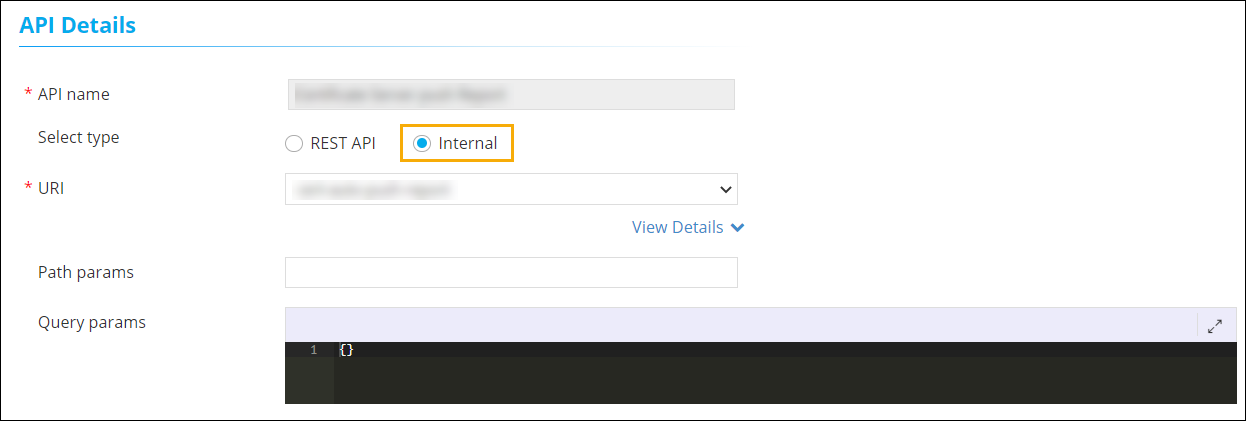 The following table describes fields
in this section:
The following table describes fields
in this section:Field Description API name Enter a valid name for the API. Select type You can select between REST API and Internal. - REST API: Use this to select external API and enter the URL.
- Internal: Use this to select an internal API and select a URI (Uniform Resources Identifier) from the dropdown menu.
Path params Parameters that are used to identify a specific resource(s). Query params Parameters that are used to filter resources. All asterisk (*) marked fields are mandatory.
- Using REST API: This is an external facing customer API (For
example, ServiceNow, JIRA, GIT)
-
Under Request Body, enter the payload and response mapping
details.
The following table describes field description in this section:
Field Description Payload Payload is the actual data that needs to be passed for the API. Response mapping Mapping an integration response from the backend. - To add this new REST API hook to the hooks inventory, click Save.