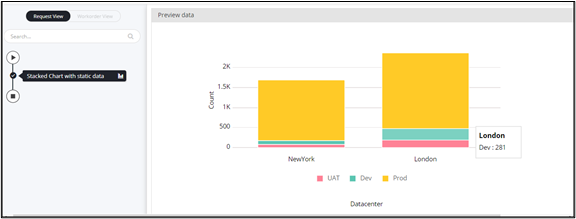
Designing a Chart with Static Data 
- Design a workflow.
- From the User Interface section, drag and drop the Chart task.
-
In the Chart task window, under
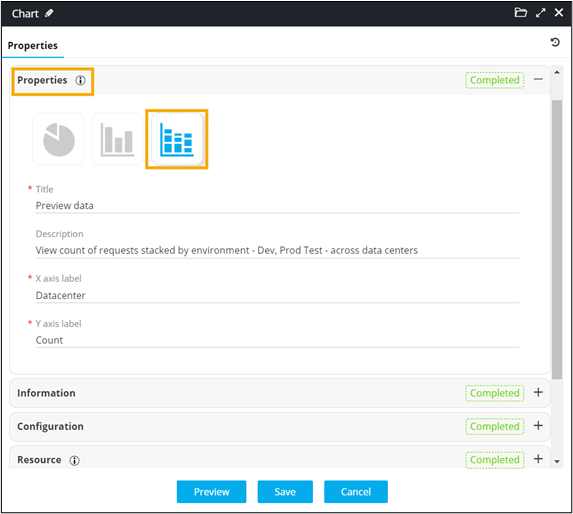
Properties, select the chart type as stacked chart
 .
.
-
In the Chart task window, under
Properties, enter values for chart Title
and X-axis, Y-axis labels.
-
In the Chart task window, under
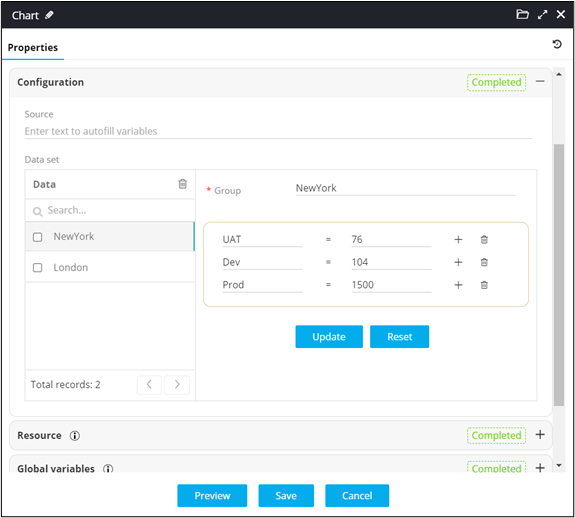
Configuration, define the static data to stack values
in the chart.
- Click Save.
- Connect the workflow tasks.
-
From the command bar on the top, click Preview.
Stacked chart with static data is displayed.