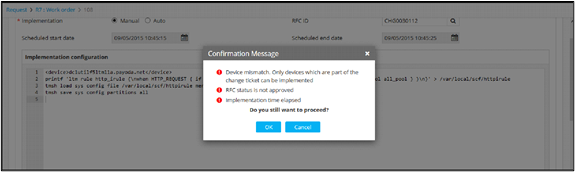
Validation Parameters
This is a set of JSON key value pairs that define what attributes of a change ticket needs to be validated within AppViewX. Any custom attributes can be defined as part of the validation. The values on the left side of the assignment denote the attribute to be validated and the right side of the assignment denotes the expected value for the parameter to be considered as valid.
Note: In case an attribute that is not mapped to the system is
validated, these will be ignored and will be treated as invalid. The validation
message on the GUI will be displayed accordingly.
Example validation parameter configuration:
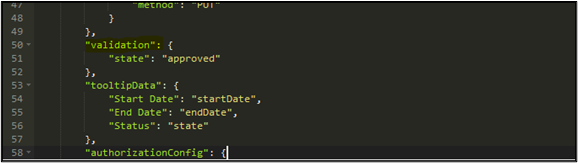
"name": "updateTicket",
				"method": "PUT"
			}
		},
		"validation": {
			"state": "approved"
		},
		"tooltipData": {
			"Start Date": "startDate",
"End Date": "endDate",-
Validation message sample
In this case, AppViewX executes a work order based on the validation
parameters. For example, the state of the change ticket on the ITSM tool must be
‘approved’, Device/CI must be valid, Change window must be valid, and so on.