Defining Custom Data
-
On the Collection page, from the command bar on the top right of the
screen, click
 (Add) icon.
-
On the Collection > Create page, enter the required field
information.
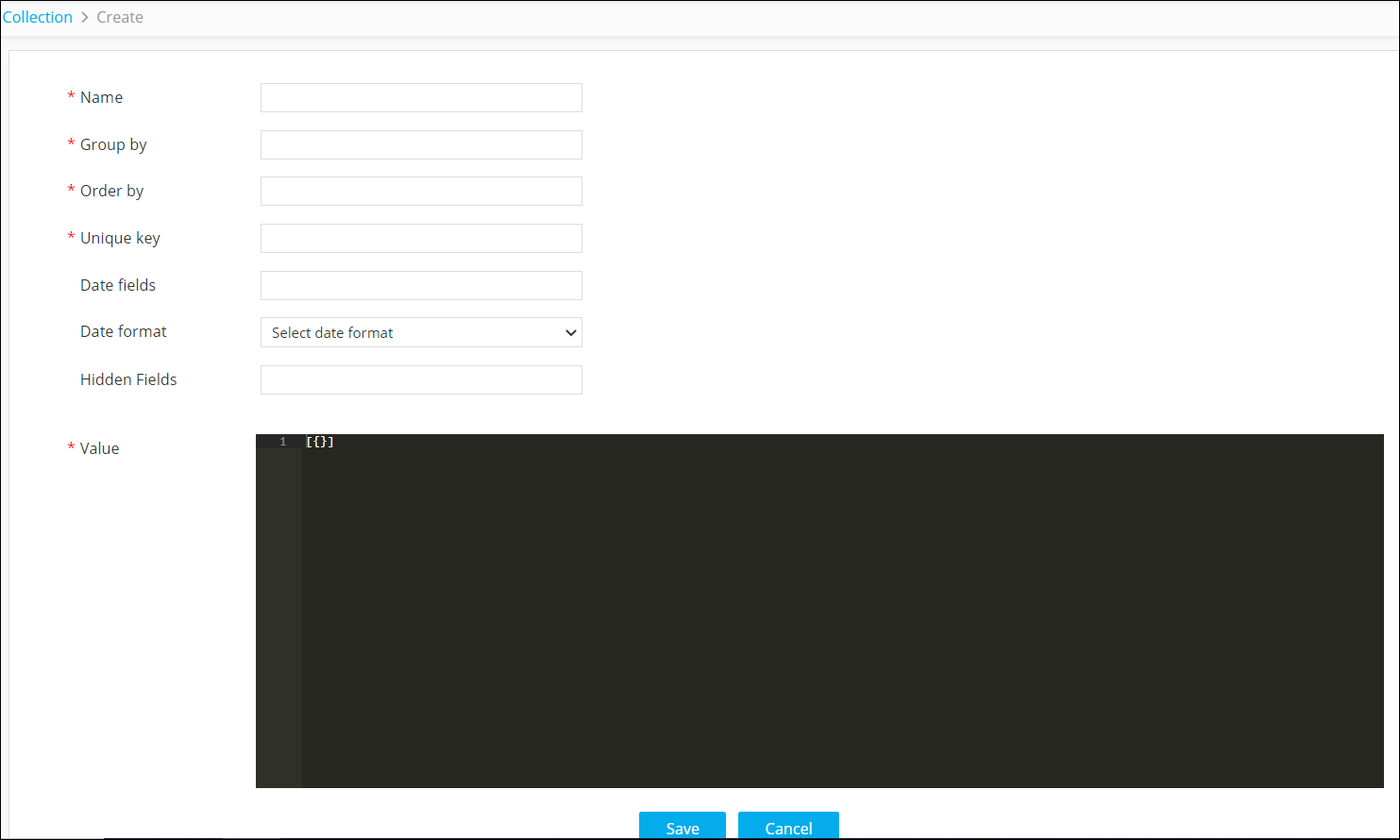
Table 1. Field descriptions for create page Field Description *Name Enter the name for the collection. For example: ExcludeIP-SampleNote: The period (.) or dot symbol is allowed in the Name field. For example: ExcludeIP.Sample*Group by Define how the collection will be grouped. For example: datacenter
All the IPs will be grouped according to the datacenter.
*Order by Define how the data in the collection will be ordered. For example: ip
The data in the collection will be ordered by the IPs
*Unique key Define the unique key or identifier for the collection. Date fields Define the date fields in the metadata, if required. Date format Define the date format, if required. For example: dd/mm/yyyy Hidden Fields Enter the hidden fields, if required. *Value Define the data for the collection. For example: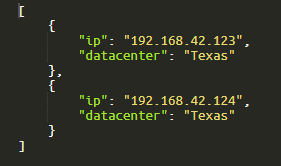
* : Mandatory fields -
Click Save.
The collection is added to the Collection page.